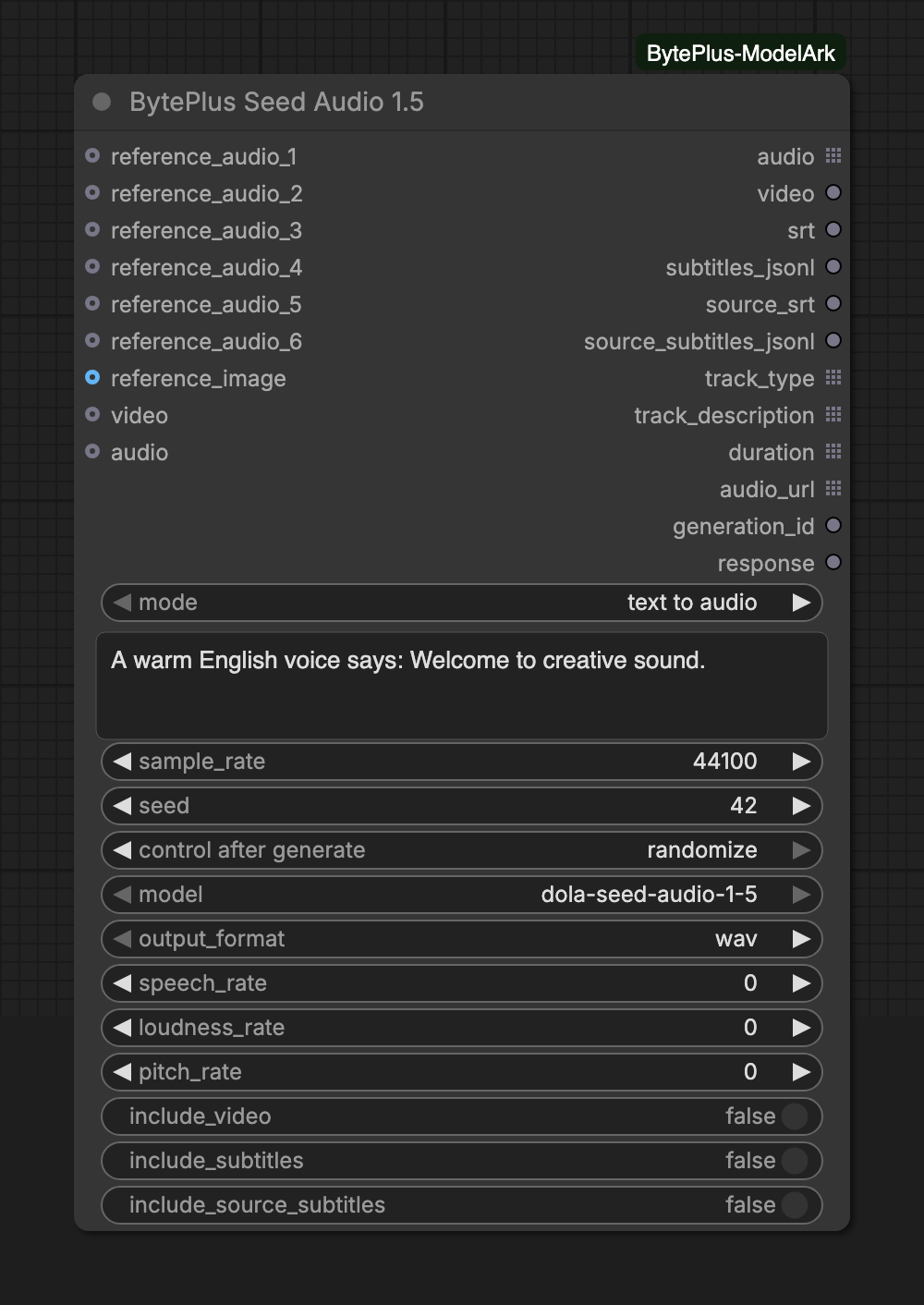
Create speech-led audio with accompanying music and effects, use reference voices or a character image, generate audio guided by a video, translate video, or separate audio into tracks; pure music or sound-effect generation is not supported by the supplied early-test contract.
Available in node-pack version 0.13.0 and later, this node uses your ModelArk API key in Settings > BytePlus, with Singapore selected. Each run submits one billed synchronous request using dola-seed-audio-1-5-261128. This is separate from Seed Audio 1.0, which uses a Seed Speech key.
The default mode uses your prompt; the visible media sockets are for reference and separation modes.
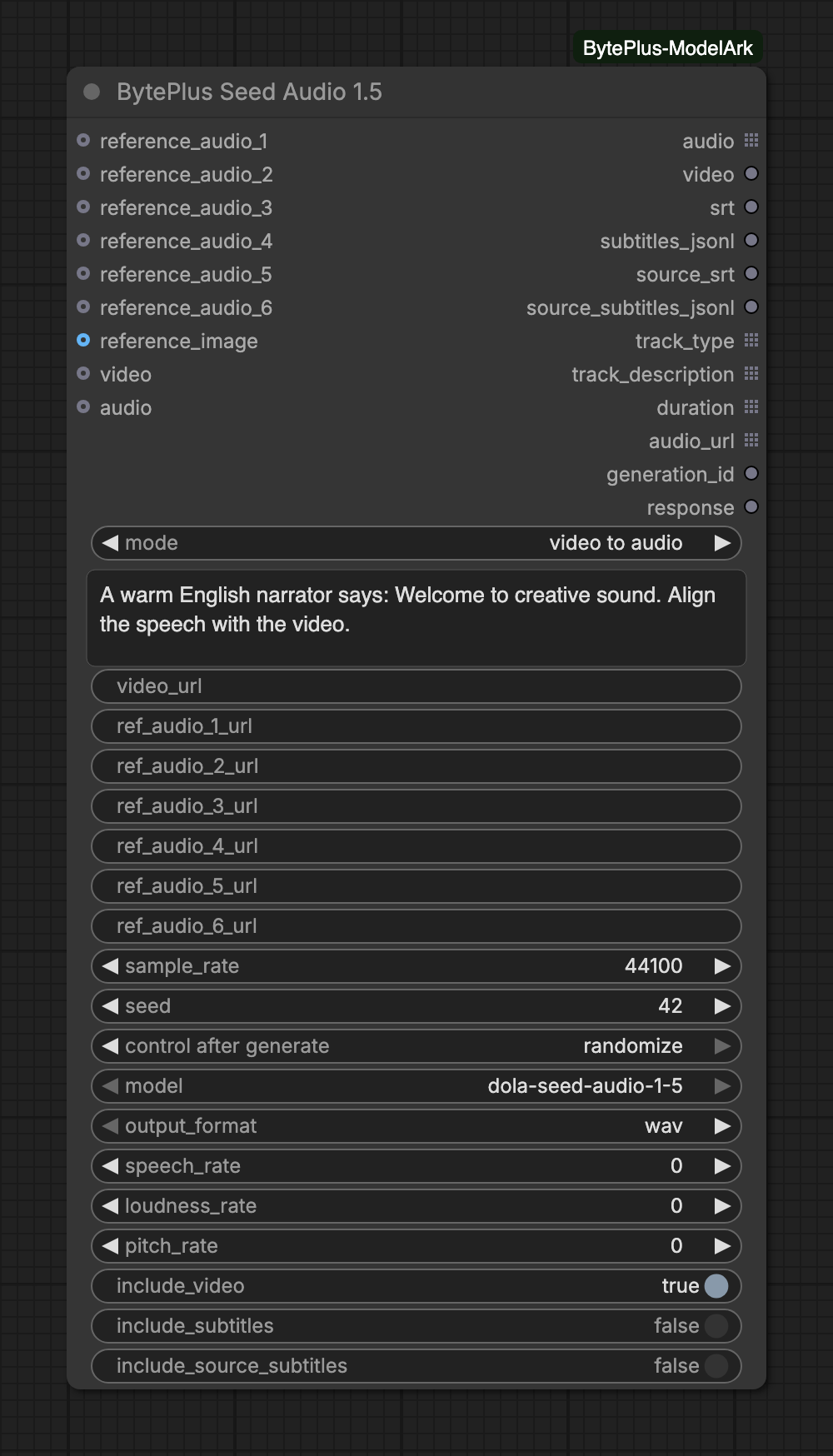
Connect source media to the sockets on the left; generated audio, video and subtitles leave on the right. Media sockets stay visible when you change modes, while prompts, URLs and translation controls follow the selected mode. Disconnect media that does not belong to that mode.
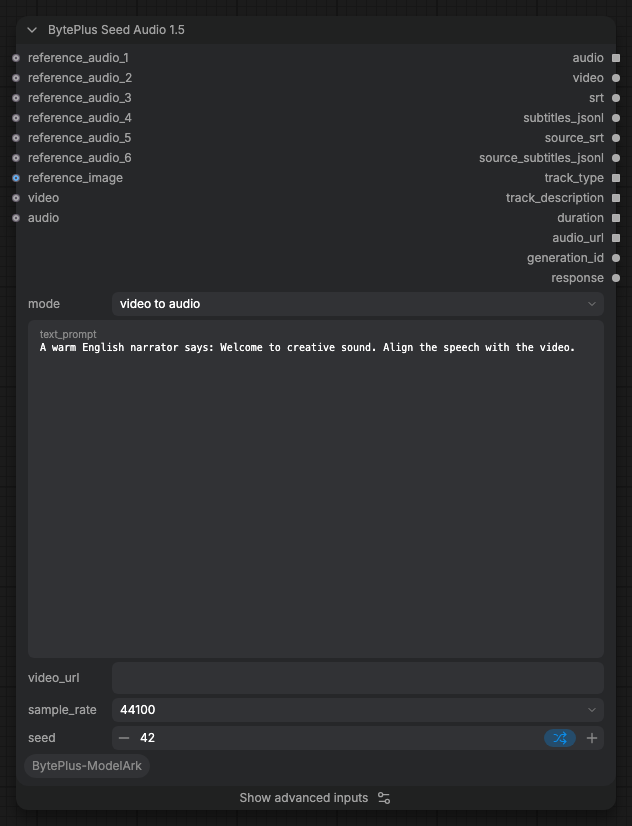
Classic Canvas: connect your source to video on the left and optional voice clips to reference_audio_1 through reference_audio_6.Nodes 2.0 uses the same connection direction; the right-side audio and video sockets send generated results to preview or save nodes.
Use the left-side video socket or the mode’s video_url, not both. Voice references are optional in video to audio; fill them in order when used. include_video requests generated video output and does not add a source-video input.
The supplied guide describes restricted early-test access and a planned December 2 release. Confirm your access and the provider’s release terms before public use.
Save your ModelArk key in Settings > BytePlus, select ap-southeast-1, and activate the model in the ModelArk console for that region.
Add BytePlus Seed Audio 1.5, leave mode on text to audio, and enter: A warm English voice says: "Welcome to creative sound." Speak naturally and clearly, with no background music.
Connect audio to Preview Audio or Save Audio. Leave WAV at 44100 Hz and set control after generate to fixed to avoid changing the seed automatically.
Press Run. To request another take, change the prompt or seed; that starts another billed request. Changing the seed does not make provider results deterministic.
Describe voices, language, delivery, music and effects, including the exact lines to speak. Use @audio1 through @audio6 for ordered references and [0.5s:3.0s] for timing.
Input
Type
Default
What it does
text_prompt
text
Describe voices, language, delivery, music and effects, including the exact lines to speak. Use @audio1 through @audio6 for ordered references and [0.5s:3.0s] for timing.
Advanced inputs for audio reference
Input
Type
Default
What it does
ref_audio_1_urloptional
text
Public WAV/MP3 URL instead of reference_audio_1. Up to 15 MB.
ref_audio_2_urloptional
text
Public WAV/MP3 URL instead of reference_audio_2. Up to 15 MB.
ref_audio_3_urloptional
text
Public WAV/MP3 URL instead of reference_audio_3. Up to 15 MB.
ref_audio_4_urloptional
text
Public WAV/MP3 URL instead of reference_audio_4. Up to 15 MB.
ref_audio_5_urloptional
text
Public WAV/MP3 URL instead of reference_audio_5. Up to 15 MB.
ref_audio_6_urloptional
text
Public WAV/MP3 URL instead of reference_audio_6. Up to 15 MB.
Input
Type
Default
What it does
text_prompt
text
Describe voices, language, delivery, music and effects, including the exact lines to speak. Use @audio1 through @audio6 for ordered references and [0.5s:3.0s] for timing.
Advanced inputs for image reference
Input
Type
Default
What it does
ref_image_urloptional
text
Public character image URL instead of reference_image.
Input
Type
Default
What it does
text_prompt
text
Describe voices, language, delivery, music and effects, including the exact lines to speak. Use @audio1 through @audio6 for ordered references and [0.5s:3.0s] for timing.
video_urloptional
text
Public MP4/MOV URL (up to 200 MB) or an authorized tos://bucket/object URI instead of video.
Advanced inputs for video to audio
Input
Type
Default
What it does
ref_audio_1_urloptional
text
Public WAV/MP3 URL instead of reference_audio_1. Up to 15 MB.
ref_audio_2_urloptional
text
Public WAV/MP3 URL instead of reference_audio_2. Up to 15 MB.
ref_audio_3_urloptional
text
Public WAV/MP3 URL instead of reference_audio_3. Up to 15 MB.
ref_audio_4_urloptional
text
Public WAV/MP3 URL instead of reference_audio_4. Up to 15 MB.
ref_audio_5_urloptional
text
Public WAV/MP3 URL instead of reference_audio_5. Up to 15 MB.
ref_audio_6_urloptional
text
Public WAV/MP3 URL instead of reference_audio_6. Up to 15 MB.
Input
Type
Default
What it does
target_language
choice
en
Choices: zh, en, ja, ko, de, fr, pt-BR, th, id, vi, ms, fil … (30 in total)
video_urloptional
text
Public MP4/MOV URL (up to 200 MB) or an authorized tos://bucket/object URI instead of video.
Advanced inputs for video translation
Input
Type
Default
What it does
source_languageoptional
choice
auto
Choices: auto, zh, en
custom_subtitle_urloptional
text
Public UTF-8 target-language SRT URL; skips translation. Each segment must be at most 15 seconds. Cannot combine with glossaries.
glossariesoptional
text
JSON array of translation pairs, e.g. [{"source":"brand","target":"BytePlus"}]. Cannot combine with custom subtitles.
dialogue_enhancementoptional
choice
off
Choices: off, low, medium, high
Input
Type
Default
What it does
text_prompt
text
Separate this audio into three tracks: all vocals, background music, and sound effects.
Describe voices, language, delivery, music and effects, including the exact lines to speak. Use @audio1 through @audio6 for ordered references and [0.5s:3.0s] for timing.
audio_urloptional
text
Public WAV/MP3 URL instead of audio. Recommended for large sources.
Advanced inputs (8)
Input
Type
Default
What it does
modeloptional
choice
dola-seed-audio-1-5
Choices: dola-seed-audio-1-5
output_formatoptional
choice
wav
Self-describing audio format for decoding. Ogg Opus requires 48000 Hz. Raw PCM is not exposed because its channel layout is undocumented.Choices: wav, mp3, ogg_opus
speech_rateoptional
integer
0
Audio generation only. Keep 0 for translation or separation.Range: -50–100
loudness_rateoptional
integer
0
Audio generation only. Keep 0 for translation or separation.Range: -50–100
pitch_rateoptional
integer
0
Audio generation only. Keep 0 for translation or separation.Range: -12–12
include_videooptional
on/off
off
Request the output video in video-to-audio or translation mode.
include_subtitlesoptional
on/off
off
Request SRT and JSONL subtitle files.
include_source_subtitlesoptional
on/off
off
Translation only: also request the source-language SRT and JSONL.
Text to audio: describe the voices, exact dialogue, delivery, music and effects in the prompt.
Audio reference: connect authorized voice clips in slots 1-6, or use each slot’s URL. Name the voices with @audio1 through @audio6.
Image reference: connect one character image or use ref_image_url, then describe the voice and lines in the prompt.
Video to audio: connect video or set video_url, describe the script and timing, and optionally add reference voices. Enable include_video to request the video with generated audio.
Video translation: provide one Chinese or English video and choose target_language, such as fr. There is no prompt. Enable include_video, include_subtitles and, when needed, include_source_subtitles.
Stem separation: connect audio or set audio_url, then describe the tracks to extract, for example vocals, background music and sound effects.
Reference and output options
Voice references: fill slots 1-6 in order without gaps. Each slot accepts one connected audio clip or its URL, not both. Use @audio1 through @audio6 in your prompt to identify voices. Speaker IDs and Files API IDs are not exposed by this node.
Video-guided audio: use your prompt to describe the exact script, delivery and timing. The video provides visual rhythm; reference audio can provide the voice. This mode uses reference_video, not the translation role.
Translation: use one Chinese or English source video and choose the target language. API-format workflows must supply mode.target_language; an absent or invalid target is rejected, never silently changed to English. Use auto for source-language detection. No text prompt is sent. A custom target-language SRT URL skips machine translation; do not combine it with glossaries.
Separation: describe the tracks you need in the prompt. A public WAV/MP3 URL avoids the Base64 overhead of connected audio, especially for long sources.
Output options: enable video output only in a video mode. Source subtitle output is translation-only. Set Ogg Opus to 48000 Hz; keep speed, loudness and pitch at zero for translation and separation.
audio, track_type, track_description, duration and audio_url are aligned lists containing every returned track in provider order. Separation may return vocals, effects and music; the node does not assume their order.
Connect Preview Audio to listen, Save Audio to keep tracks, and Save Video for requested video output. The node does not save into your output folder.
Subtitle outputs contain the downloaded SRT and JSONL text, including source-language files when requested. Outputs not requested are empty, and an unrequested video skips downstream consumers.
response retains provider metadata, usage and temporary artifact URLs. A missing or malformed track blocks only that track, preserving the positions of other tracks. If a download fails, use its URL or the response to recover it before expiry, without another generation request.
Reference audio must be WAV/MP3, 2-30 seconds and at most 15 MB per clip. You can use six clips, totaling at most 180 seconds. Connected audio is encoded as WAV; a batch or more than two channels is rejected.
One reference image: sides 300-6000 pixels, width/height 0.4-2.5, encoded size below 10 MB. Connected images are sent inline as PNG.
Video: MP4/MOV, 4-360 seconds, 12-60 FPS, 407696-2086876 total pixels, sides 300-6000 pixels and width/height 0.4-2.5. Public-URL sources can be up to 200 MB; authorized TOS video sources can be up to 1 GB.
Connected video uploads through Comfy.org, requiring a Comfy.org login. The exact MP4 bytes, including trims and crops, are checked against 200 MB before upload and reused through a content cache. A public video_url or authorized TOS video URI avoids that upload. URL media limits are checked by the provider; connected-media dimensions and durations are checked locally.
Separation takes one WAV/MP3 source, 2-360 seconds and at most 90 MB. The complete serialized request must stay within 64 MB, including Base64 and JSON escaping overhead. Local checks use decimal MB (1,000,000 bytes). Use URLs for large sources.
Custom SRT must be UTF-8, with each segment lasting at most 15 seconds. You are responsible for the supplied subtitle file; the provider validates URL content.
WAV and MP3 default to 44100 Hz; Ogg Opus requires 48000 Hz. Raw PCM is not exposed because its channel layout is undocumented. The seed triggers local reruns only and does not control provider randomness.
Submissions are never retried automatically. Cancel stops local waiting only, not accepted remote work or billing. Use only images, videos and voices you are authorized to process.
The existing Seed Audio template uses Seed Audio 1.0 and a Seed Speech key. It is not converted by updating the pack. Start with the steps above to build a Seed Audio 1.5 workflow.