

Video and Audio Assets
- Template
- Video and Audio Assets, in the ComfyUI template browser under BytePlus
- Workflow file
- Video and Audio Assets.json
- BytePlus nodes
- Seedance 2.5 Text to Video, Seed Audio 1.0, Create Video Asset, Create Audio Asset, Asset Library, Seedance 2.5 Reference to Video
- Keys needed
- ModelArk API key, Seed Speech API key, IAM access key and secret key
- Also uses
- Extract Text, MarkdownNote, Preview as Text, Save Video (built into ComfyUI)
What it makes
Section titled “What it makes”One 4 second video made from two assets that live in your library. The template first creates a sample clip and a sample voice line so it runs as it is, registers both as assets, then asks Seedance 2.5 Reference to Video to continue the scene of the video while the sound follows the audio. You can swap the samples for your own media.
The workflow
Section titled “The workflow”
- Seedance 2.5 Text to Video (Seedance 2.0 Mini, 480p, 16:9, 4 seconds) makes the sample video from “A calm slow pan across a quiet mountain lake at sunrise, mist over the water.” A Extract Text node pulls the video link out of its
response. - Seed Audio 1.0 speaks “A calm narrator says: Welcome to the quiet mountain lake at sunrise.” in the preset voice Tim (Male, American English) and outputs a
urlfor the clip. - Create Video Asset and Create Audio Asset register the two links in the group “ComfyUI assets”, as “ComfyUI video” and “ComfyUI audio”. Each outputs an
asset_uriand aninfoshown in a preview. - Asset Library lists up to 10 active AIGC assets, filtered by the name “ComfyUI”, and shows their URIs.
- Seedance 2.5 Reference to Video takes the video asset as
asset_1and the audio asset asasset_2, with the model Seedance 2.5 Draft at 480p. - Save the video keeps the result under
BytePlus/Video/asset_reference.
Run it
Section titled “Run it”- Add your ModelArk API key, your Seed Speech API key and the IAM access key and secret key in Settings → BytePlus if you have not yet (API keys). The template needs all three. The IAM keys need asset-library permission, and your account also needs Dreamina Seedance Advanced Creation Rights.
- Open the template browser and choose Video and Audio Assets under BytePlus.
- Press Run. The sample media is made first, then registered, then used in Seedance. The shipped template passes links from node to node, so it needs no Comfy.org login.
- To use your own media, paste public https links into
video_urlandaudio_urlof the two Create nodes, or connect Load Video and Load Audio to theirvideoandaudiosockets. Local uploads need a Comfy.org login: log in to your Comfy.org account in ComfyUI first.
Settings worth changing
Section titled “Settings worth changing”- Prompt of the final node: refer to the assets as Video 1 and Audio 1, as the template does.
modelof the final node: Seedance 2.5 Draft renders a quick 480p preview. Pick a full Seedance 2.5 option for the final quality.group_nameandasset_name: choose where the assets go and what they are called. Use the samenamefilter in Asset Library to find them.audio_urlandvideo_url: an advanced input on each Create node that skips the Comfy.org upload when you have a public link.durationandresolution: shorten or lengthen the final clip.
Example result
Section titled “Example result”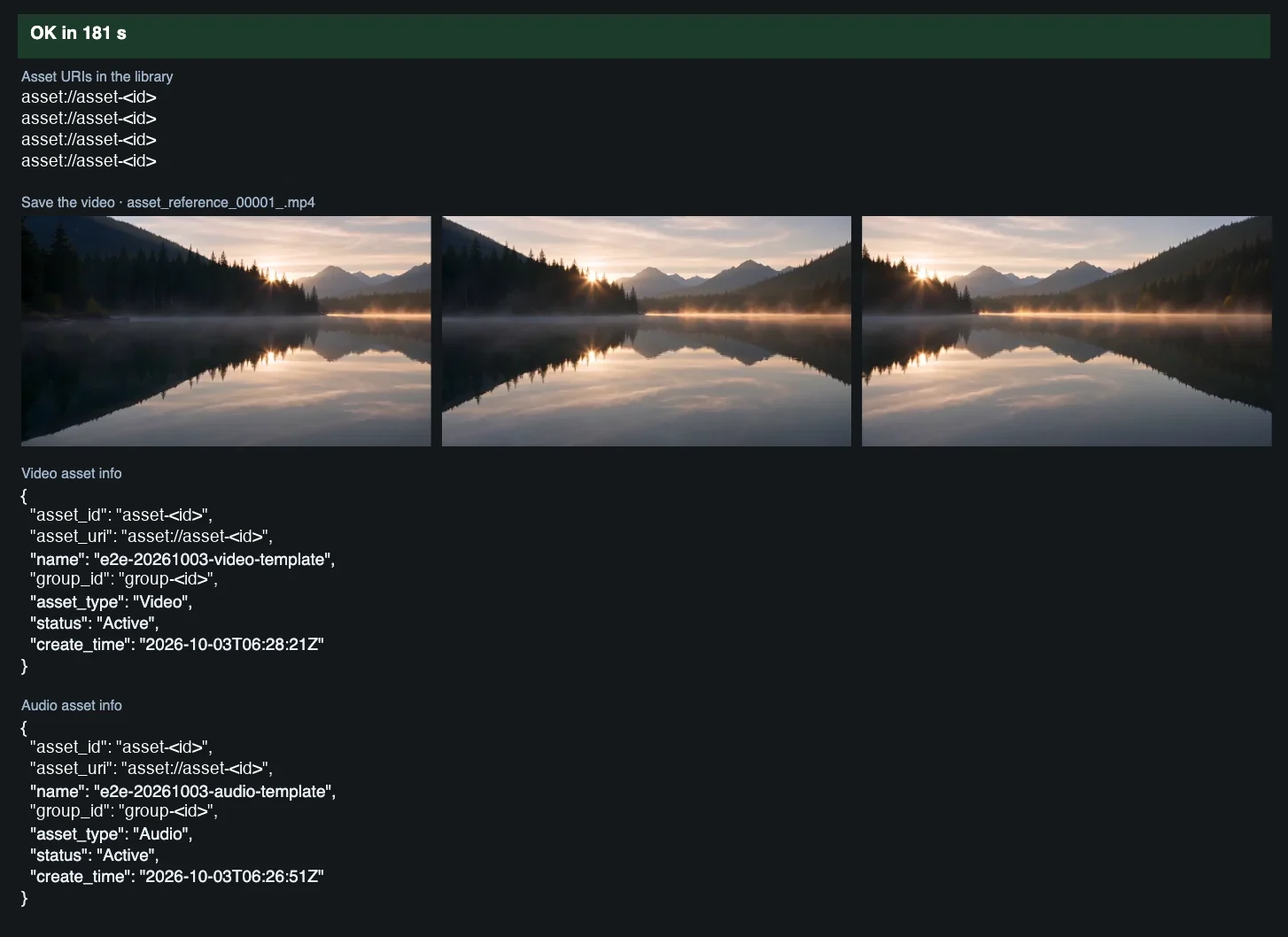
Time and cost
Section titled “Time and cost”The workflow bills one Seedance 2.0 Mini sample video, one Seed Audio clip and one Seedance 2.5 Draft video. The Asset Library node is not connected to the two Create nodes, so on the first run it can list the library as it was before the new assets existed. To see them, change an Asset Library setting (for example max_results) and run again, because ComfyUI reuses the cached list of an unchanged node. The seed controls are set to randomize, so every run makes new media and bills again. Set a control to fixed and ComfyUI reuses the cached result of an unchanged node without billing. Only use media you are authorized to use.
Related
Section titled “Related”- Nodes: Seedance 2.5 Text to Video, Seed Audio 1.0, Create Video Asset, Create Audio Asset, Asset Library, Seedance 2.5 Reference to Video
- Next step: Consistent Character Shots registers a character image once and reuses it across several shots.