

Text to Image to Video
- Template
- Text to Image to Video, in the ComfyUI template browser under BytePlus
- Workflow file
- Text to Image to Video.json
- BytePlus nodes
- Seedream 4.5 & 5.0, Seedance 2.5 First-Last-Frame to Video
- Keys needed
- ModelArk API key
- Also uses
- Save Image, Save Video (built into ComfyUI)
What it makes
Section titled “What it makes”A still image and a short video from one idea. Seedream paints an astronaut on a red desert dune with a huge ringed planet in the sky. Seedance then uses that picture as the first frame and animates it, so the clip starts exactly where the image is. Writing the image first gives you control over the look before you pay for the video.
The workflow
Section titled “The workflow”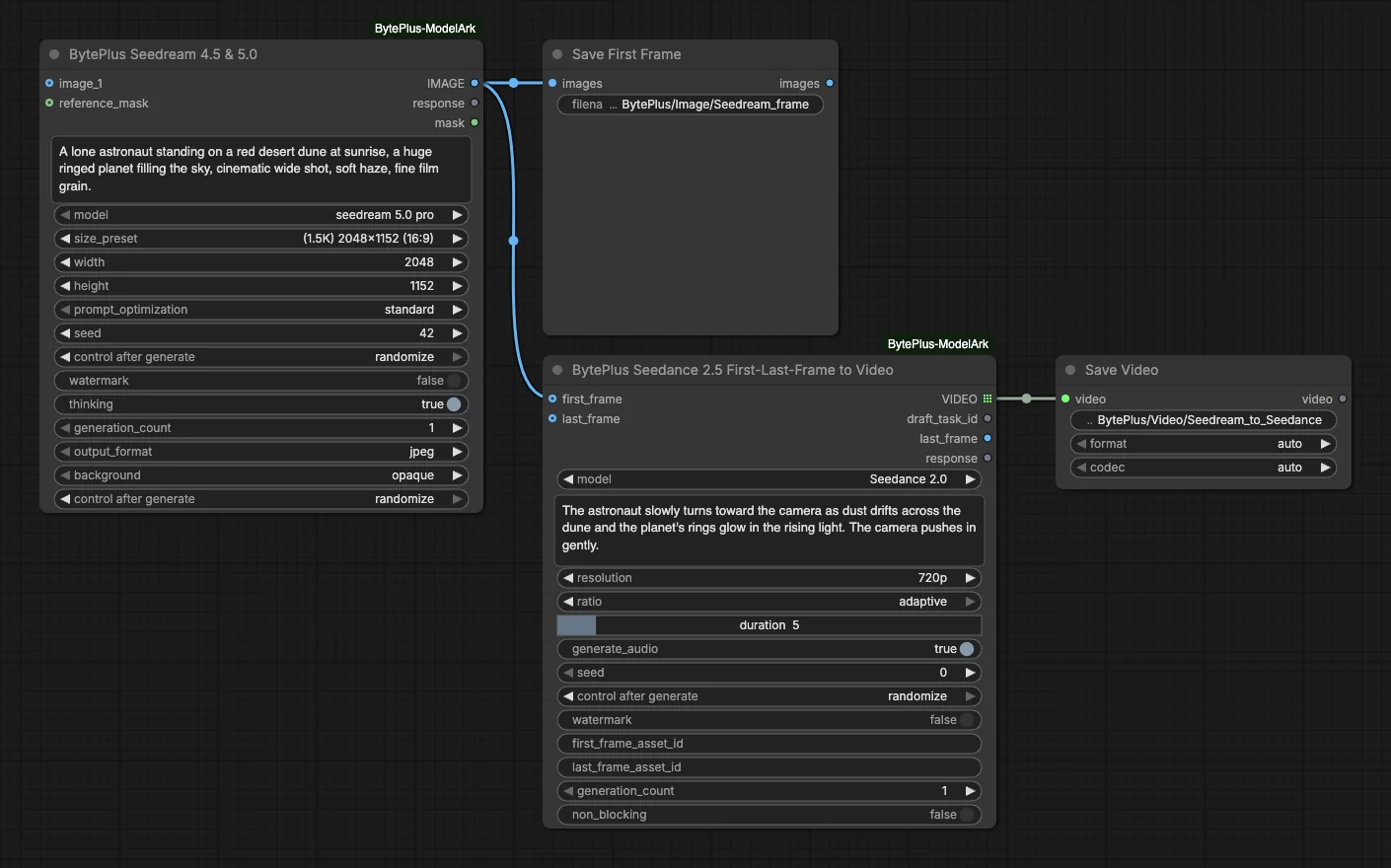
- Seedream 4.5 & 5.0 makes the image from the prompt “A lone astronaut standing on a red desert dune at sunrise, a huge ringed planet filling the sky, cinematic wide shot…”. The model is
seedream 5.0 proand the size is 2048x1152 (16:9). No reference image is connected. - Save First Frame keeps the image in the output folder.
- Seedance 2.5 First-Last-Frame to Video gets the image as
first_frameand animates it with the model Seedance 2.0 at 720p, ratioadaptive, 5 seconds, with audio. Its prompt says the astronaut turns toward the camera while dust drifts and the camera pushes in.last_framestays empty. - Save Video keeps the clip.
Run it
Section titled “Run it”- Add your ModelArk API key in Settings → BytePlus if you have not yet (API keys).
- Open the template browser and choose Text to Image to Video under BytePlus.
- Press Run. The image appears first in Save First Frame, then the video in Save Video when Seedance finishes.
Settings worth changing
Section titled “Settings worth changing”- Seedream prompt: describe the scene you want as the first frame. Write the Seedance prompt about the motion, not about the scene again.
- Seedream
size_preset: the video ratio isadaptive, so the clip follows the shape of the image. Pick another preset for a vertical or square clip. - Seedance
model: Seedance 2.0 is set. The list also has Seedance 2.5 and the Draft, Premium, Fast and Mini variants. Seedance 2.5 models have noratioinput. - Seedance
resolutionandduration: 720p and 5 seconds are set. Raise them when you are happy with the motion. last_frame: connect a second image to make the clip end on a given picture.
Example result
Section titled “Example result”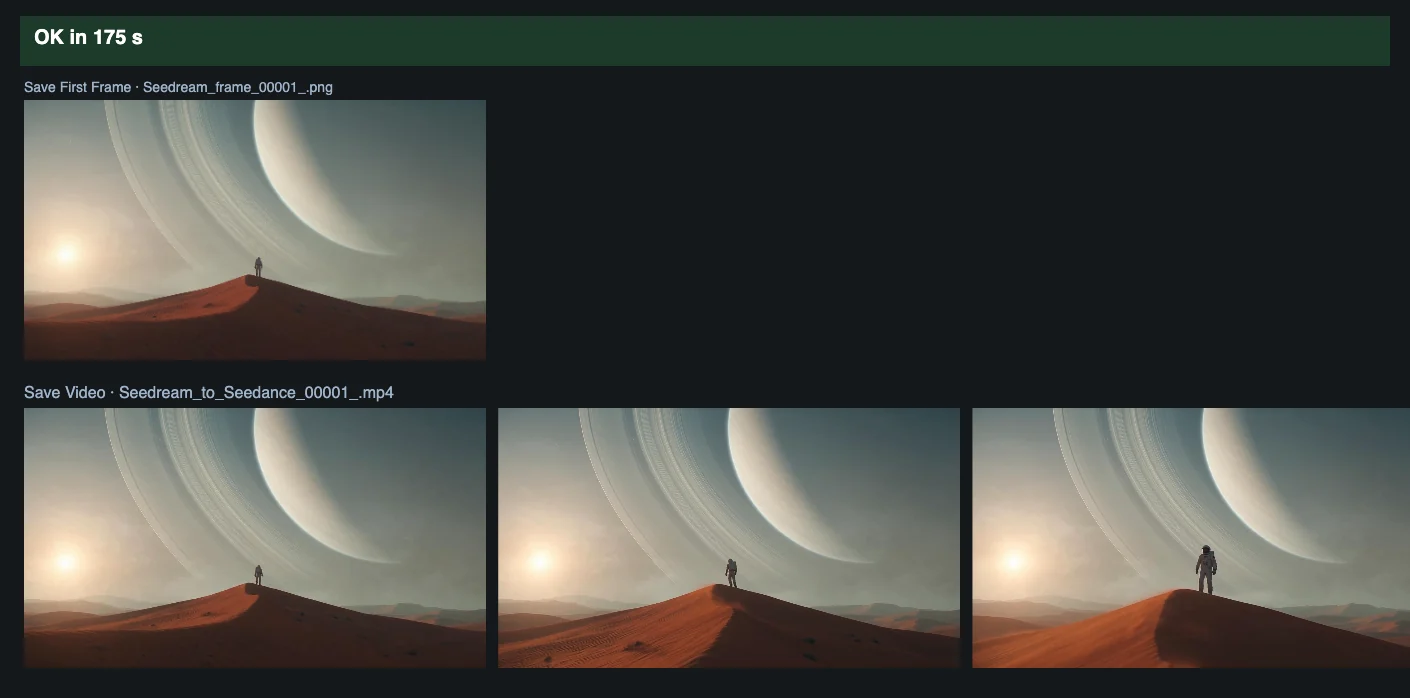
Time and cost
Section titled “Time and cost”ModelArk bills the image once and the video task once. The seed controls are set to randomize, so every run makes new results and bills again. Set a control to fixed and ComfyUI reuses the cached result of an unchanged node without billing.
Related
Section titled “Related”- Nodes: Seedream 4.5 & 5.0, Seedance 2.5 First-Last-Frame to Video
- Next step: Seedance 2 shows the other Seedance modes, including draft then final.