

Seedance 2
- Template
- Seedance 2, in the ComfyUI template browser under BytePlus
- Workflow file
- Seedance 2.json
- BytePlus nodes
- Seedance 2.5 Text to Video, Seedance 2.5 Draft to Final Video, Seedance 2.5 First-Last-Frame to Video, Seedance 2.5 Reference to Video
- Keys needed
- ModelArk API key
- Also uses
- Load Audio, Load Image, Load Video, Save Video (built into ComfyUI)
What it makes
Section titled “What it makes”Short videos with sound, in four ways, in one workflow. The text group renders a quick 480p draft of a red fox in snow so you can check the shot before you commit. Draft to Final then renders the 1080p video from that draft. The other two groups animate an image from its first frame and make a video from an image, a video and an audio clip as references.
The workflow
Section titled “The workflow”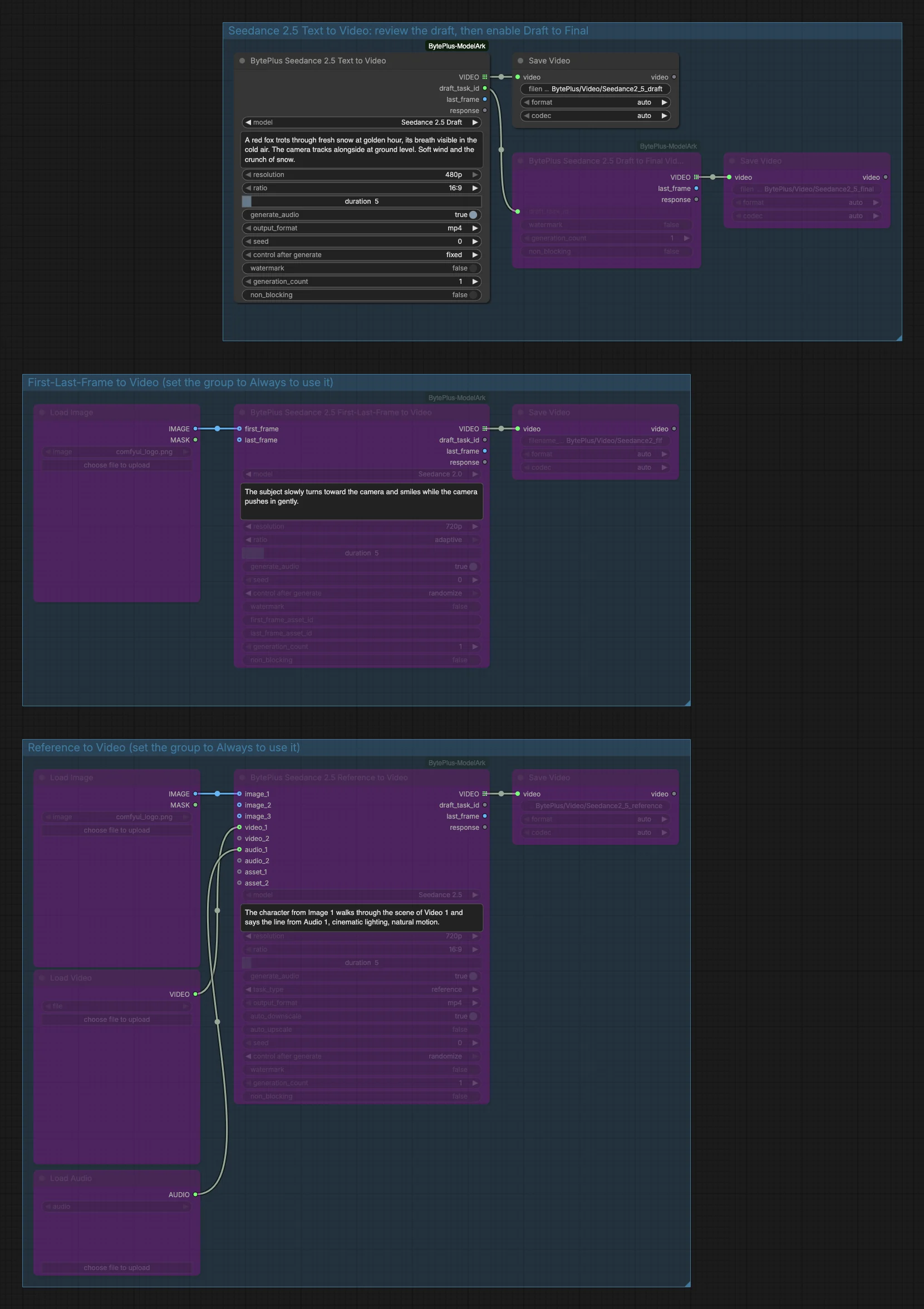
- Seedance 2.5 Text to Video (first group, active) uses the model
Seedance 2.5 Draftat 480p, 16:9, 5 seconds, with audio and the prompt “A red fox trots through fresh snow at golden hour…”. Its seed control is set tofixed, so the draft can be reused. Save Video stores the draft. - Seedance 2.5 Draft to Final Video (also in the first group, bypassed) receives the
draft_task_idoutput of step 1 and renders the final video. A second Save Video, also bypassed, keeps it. - Seedance 2.5 First-Last-Frame to Video (second group, bypassed) takes the picture from Load Image (the ComfyUI logo) as
first_frameand animates it with the model Seedance 2.0 at 720p, ratioadaptive, 5 seconds. Its prompt has the subject turn toward the camera and smile. - Seedance 2.5 Reference to Video (third group, bypassed) gets an image, a video and an audio clip from Load Image, Load Video and Load Audio as
image_1,video_1andaudio_1. The model is Seedance 2.5 andtask_typeisreference. The prompt refers to them as Image 1, Video 1 and Audio 1.
Run it
Section titled “Run it”- Add your ModelArk API key in Settings → BytePlus if you have not yet (API keys).
- Open the template browser and choose Seedance 2 under BytePlus.
- Press Run. Only the first group runs. The draft appears in the first Save Video.
- If you like the draft, un-bypass Seedance 2.5 Draft to Final Video and the second Save Video in the first group (select both and press Ctrl+B) and run again. Because the draft’s seed is fixed and its inputs did not change, the final video renders from the draft you reviewed.
- To try another group, set that group to Always. For the reference group, pick a file in Load Video and Load Audio first; they are empty in the template. Also log in to your Comfy.org account in ComfyUI: a connected reference video is uploaded to Comfy.org storage first.
Settings worth changing
Section titled “Settings worth changing”- Prompt: describe the subject, the camera and the sound. The fox prompt ends with a sound cue, “Soft wind and the crunch of snow”, and
generate_audiois on. model: the draft group usesSeedance 2.5 Draft. Switch the text node to Seedance 2.5, 2.5 Premium or 2.0 to skip the draft step and get a video directly.seed: keep the control onfixedin the draft node. Withrandomizethe next run makes a new draft instead of reusing the one you reviewed.ratio: the first-last-frame group usesadaptive, which picks the supported ratio closest to the shape of your picture. The text and reference groups use 16:9.task_type: in the reference group,referenceuses your media as references. The node also offerseditandextend; see its page.
Example result
Section titled “Example result”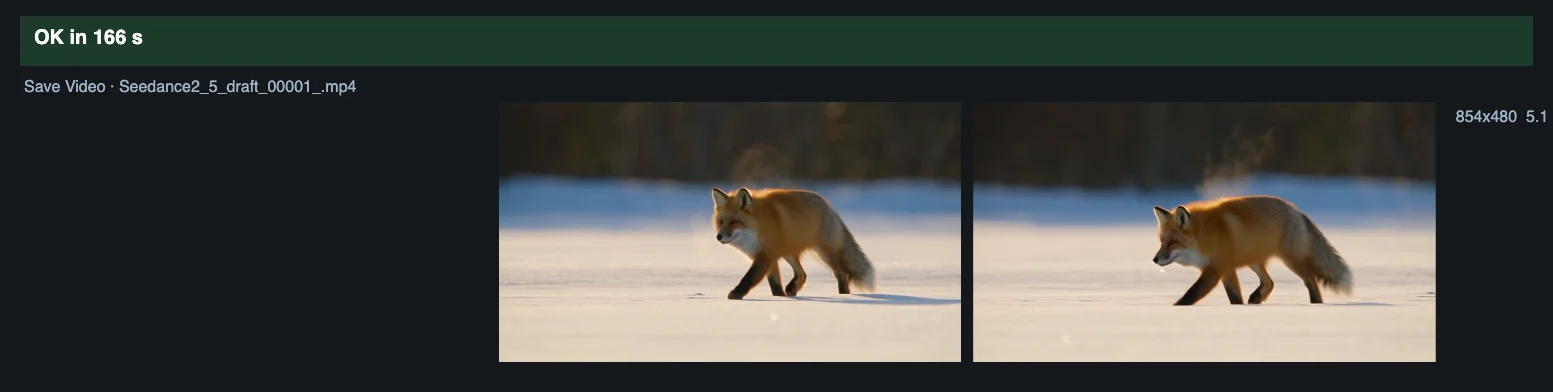
Time and cost
Section titled “Time and cost”ModelArk bills each video task that runs, so the draft and the final render are separate tasks; nodes and groups that are bypassed do not run and do not bill. The draft node’s seed is fixed, so running again with an unchanged workflow reuses ComfyUI’s cached draft and does not bill. The first-last-frame and reference nodes use randomize, so each run of those groups asks again and bills again.
Related
Section titled “Related”- Nodes: Seedance 2.5 Text to Video, Seedance 2.5 Draft to Final Video, Seedance 2.5 First-Last-Frame to Video, Seedance 2.5 Reference to Video
- Next step: Seedance Video Extension continues a clip into a longer video.