

Seed Speech TTS and ASR
- Template
- Seed Speech TTS and ASR, in the ComfyUI template browser under BytePlus
- Workflow file
- Seed Speech TTS and ASR.json
- BytePlus nodes
- Seed Speech TTS, Seed Speech ASR
- Keys needed
- Seed Speech API key
- Also uses
- Preview Audio, Preview as Text (built into ComfyUI)
What it makes
Section titled “What it makes”One spoken sentence, its transcript and its subtitles. The template reads “Welcome to BytePlus Seed Speech. This sentence was synthesized, then transcribed again by the ASR node.” in the TTS 2.0 voice Stokie, then sends that audio straight into the ASR node. The transcript that comes back is the original sentence, which shows both nodes working together.
The workflow
Section titled “The workflow”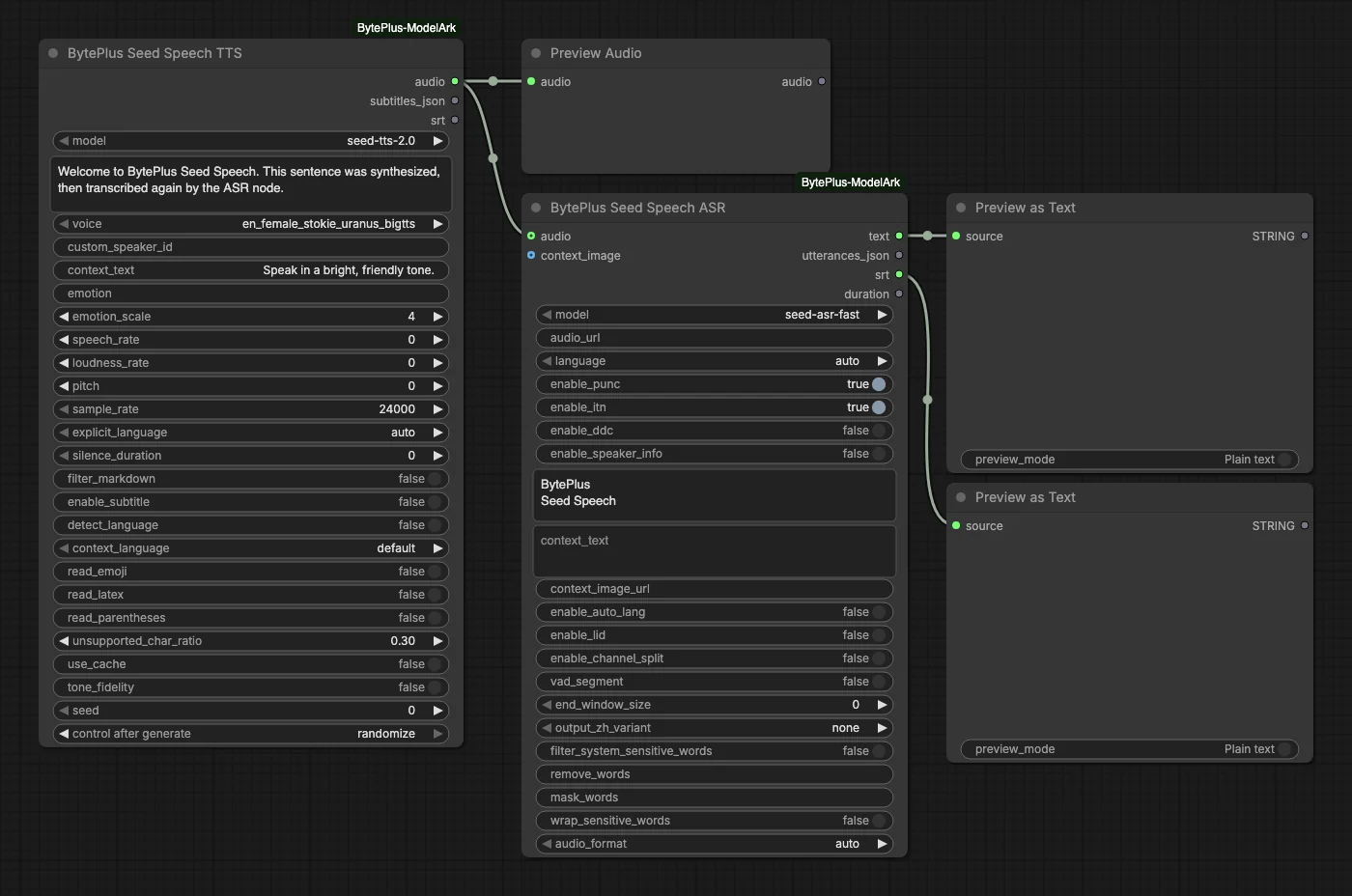
- Seed Speech TTS uses model
seed-tts-2.0and the voiceen_female_stokie_uranus_bigttsto speak the text.context_textis “Speak in a bright, friendly tone.” - Preview Audio plays the speech.
- Seed Speech ASR takes the same audio, uses the fast model
seed-asr-fastwithlanguageon auto, and returns the transcript, the utterance timings and an SRT. - Preview as Text (two nodes) show the
textoutput and thesrtoutput.
Run it
Section titled “Run it”- Add your Seed Speech API key in Settings → BytePlus if you have not yet (API keys). This is a separate key from the ModelArk key.
- Open the template browser and choose Seed Speech TTS and ASR under BytePlus.
- Press Run. The audio, the transcript and the subtitles appear in the preview nodes.
Settings worth changing
Section titled “Settings worth changing”text(TTS): write your own sentence. Pick a voice that supports its language.voice: choose another TTS 2.0 voice. To use a cloned voice instead, switchmodeltoseed-icl-2.0and fillcustom_speaker_id(see Seed Voice Clone).context_textandemotion: steer the delivery with a style instruction or an emotion such as happy or sad.context_textis not billed.hotwords(ASR): list names or terms to favour, one per line. The template has “BytePlus” and “Seed Speech”. Hotwords work only with the Chinese-English model,languageauto or zh-CN.model(ASR):seed-asr-2.0covers more languages and runs as submit and poll. It uploads connected audio to Comfy.org storage first, so log in to your Comfy.org account in ComfyUI. The olderseed-asr-1.0stays in the node, but no template uses it.
Example result
Section titled “Example result”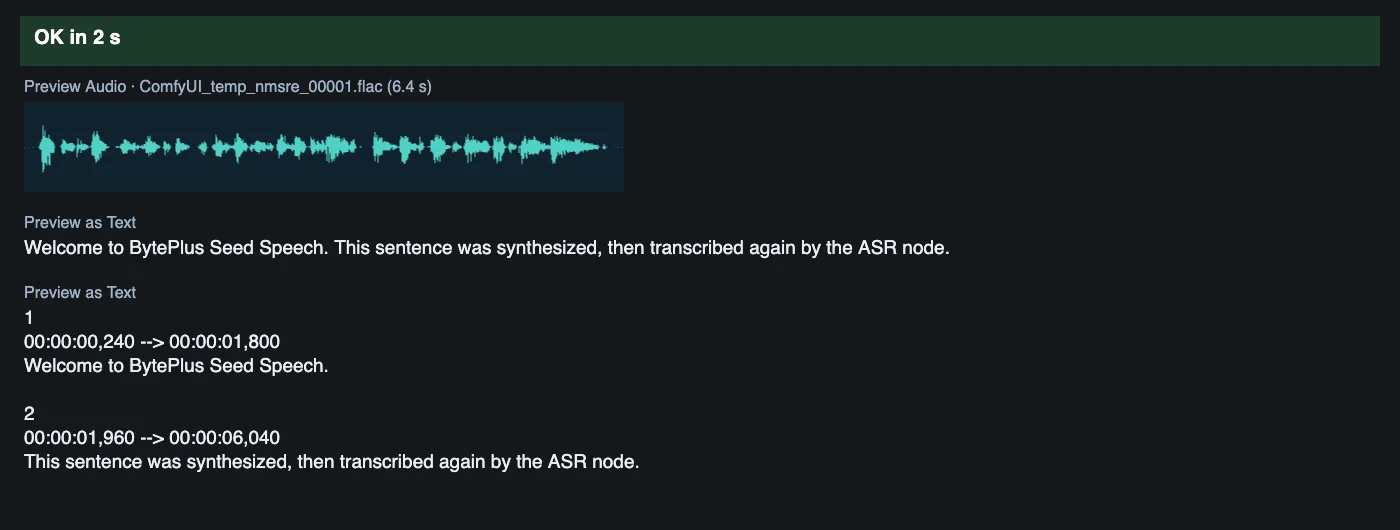
Time and cost
Section titled “Time and cost”Each node sends one request to Seed Speech. The TTS seed is not sent to the API; it only decides whether ComfyUI runs the node again. Its control is set to randomize, so every run speaks the sentence again and bills again. Set it to fixed and ComfyUI reuses the cached result of an unchanged workflow without billing.
Related
Section titled “Related”- Nodes: Seed Speech TTS, Seed Speech ASR
- Next step: Podcast Clip voices a two-person dialogue and turns it into subtitles.