Skip to content

OmniHuman Cancel Task

Node name
BytePlus OmniHuman Cancel Task
Node ID
BytePlusOmniHumanCancelTask
Find it
Double-click the canvas and search for “OmniHuman Cancel Task”, or browse BytePlus ModelArk/OmniHuman
Keys needed
Vision AI API key
Runs when
Its output is used by another node, such as Save Image or Save Video. It is not an output node.

Explicitly requests cancellation of an OmniHuman 2.0 task. You need the original account’s Vision AI key. The service only cancels queued tasks; a task already running may continue and be billed.

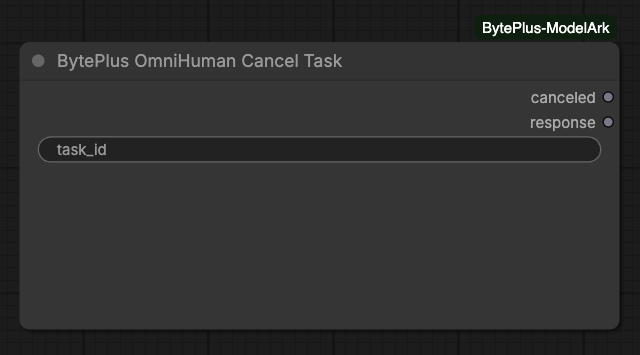
OmniHuman Cancel Task node with task ID and canceled boolean output
Request cancellation explicitly and check whether it succeeded.
InputTypeDefaultWhat it does
task_idtext
  • Supply an OmniHuman 2.0 task ID, not a ModelArk or LAS task ID.
  • Connect an output to a consuming node to execute the request. An unused node does not run.
OutputTypeWhat it holds
canceledon/off
responsetext
  • canceled is true when the service accepts cancellation.
  • A false result means the task already started or finished. Inspect it with OmniHuman Task Result.
  • In v0.11.0 and later, HTTP 400 with integer code 50217 also returns canceled = false. This is a cancellation refusal, not a stopped task. Other HTTP errors remain errors.
  • The response contains no keys or signed URLs.
  • Only tasks in in_queue can be canceled. The official API returns code 50217 when a task already started.
  • Interrupting a generation node stops local waiting and does not automatically call this node.
  • Cancellation is not a promise of a billing refund.
Message What to do
No Vision AI API key is set Save the original task account’s Vision AI key in Settings > BytePlus.
Invalid OmniHuman input Check the accepted OmniHuman 2.0 task ID.
OmniHuman request failed Check account permissions and inspect the task’s current state.

No template uses this node yet.