

Final project
Module 6. Your goal: Use what you learned to adapt a workflow independently. Create a product image and a Seedance 2.5 480p draft and matching 1080p final for a new brief.
Before you start
Section titled “Before you start”- Complete Modules 1-5.
- Keep your saved image workflow and draft-to-final video workflow.
- Choose a different product and intended use from your practice project. For logo-badge practice, reuse the supplied logo with a new audience, intended use and visual brief.
- Have permission to use the reference image.
You may use templates and documentation. Independence means making and explaining your own choices, not memorizing every setting.
Write your new brief
Section titled “Write your new brief”Record these four things before generating:
- Product: What should the image and video feature?
- Audience and use: Who is it for, and where will you use it?
- Image requirement: What composition or look does it need?
- Video requirement: What should move, and how should the camera behave?
For example: a square studio image of a reusable bottle for an online shop, followed by a five-second 16:9 promotional clip with a gentle camera push-in. Use your own product and brief rather than copying this example.
Adapt and run the workflows
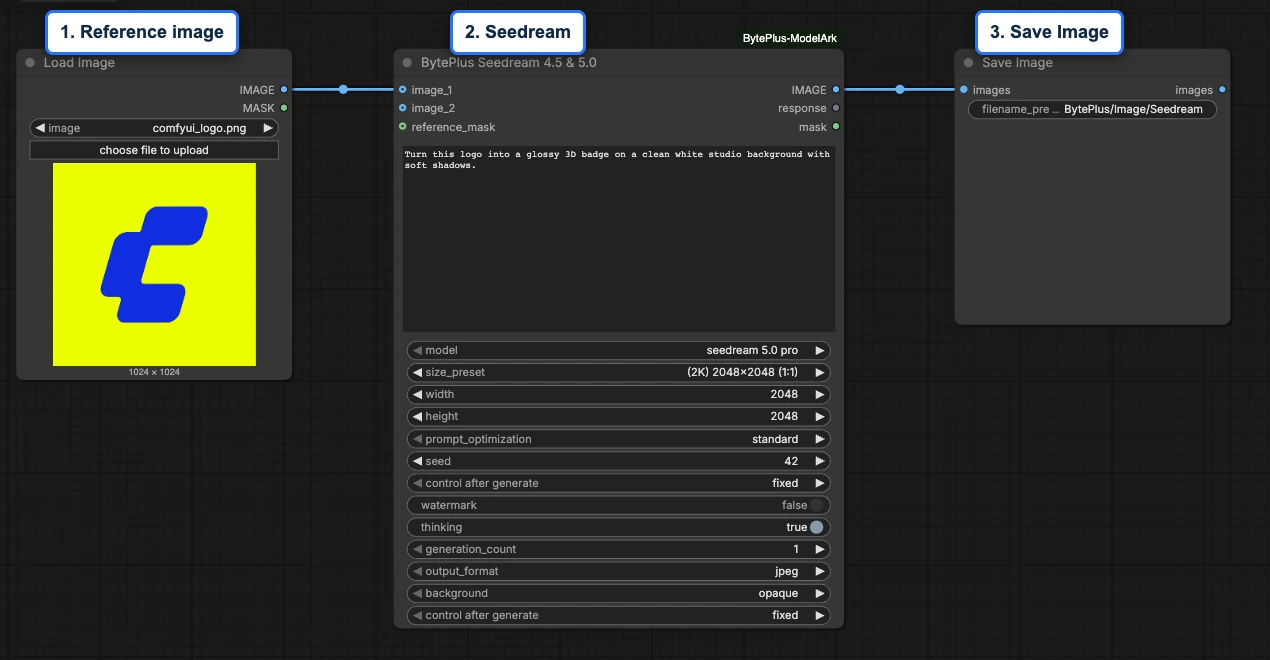
Section titled “Adapt and run the workflows”- Reopen your image workflow. Replace the reference and prompt, and choose an output size that fits your brief.
- Generate and review the product image. Compare it against your requirements and keep the selected result.
- Open your saved video workflow, or start with Templates > ComfyUI-BytePlus-ModelArk > Image to Draft to 1080p. Upload the selected image and write a motion prompt referring to Image 1.
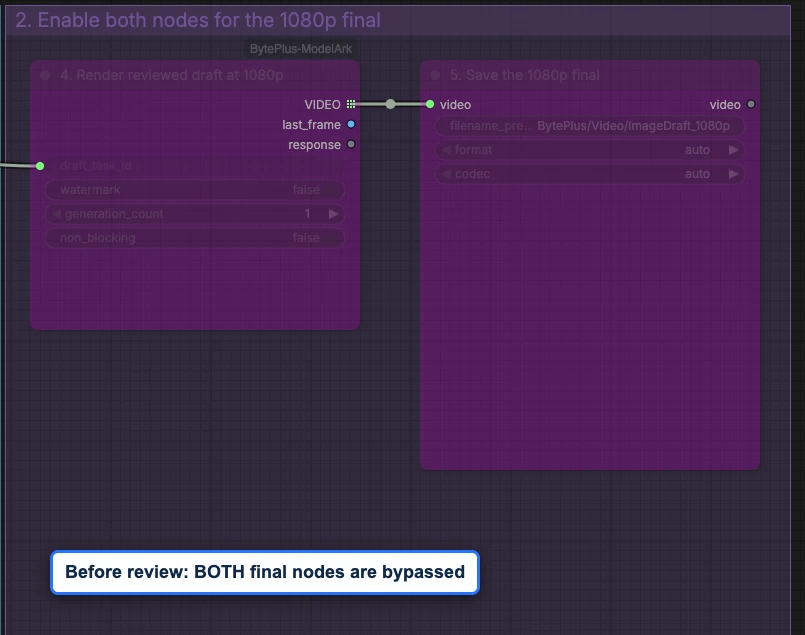
- Keep Seedance 2.5 Draft, 480p and a fixed seed. Leave both final-stage nodes bypassed, then run and review the draft.
- With the reviewed draft inputs unchanged, enable both final-stage nodes and run again to save the 1080p final.
- After completing the video, bypass both final nodes again so the saved graph starts with draft review. Export the two workflows as JSON. Explain at least two changes you made and why your new brief needed them.
Use Module 4 for image review and Module 5 for the draft-to-final controls.
Assemble your submission
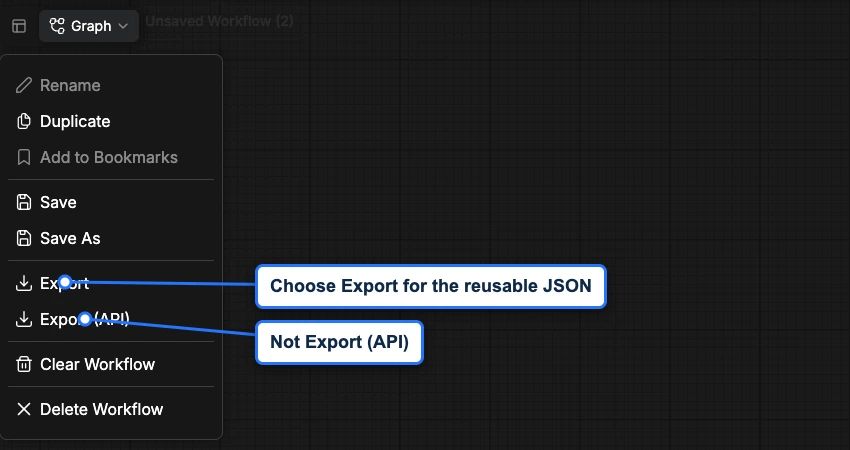
Section titled “Assemble your submission”Collect the media and the workflows separately. Copy images and videos from ComfyUI’s output folders. Use Graph > Export for each workflow and collect those JSON files from your browser’s download location.
Use this folder layout as a checklist. These are example names; keep each media file’s real extension.
my-product-project/ brief.txt reference.png selected-image.png reviewed-draft-480p.mp4 final-1080p.mp4 image-workflow.json video-workflow.json project-note.txtIn project-note.txt, explain your two changes, the required node pack and models, and any visible issues. The JSON files store nodes and settings; the PNG/JPG and MP4 files contain the pictures and videos.
Record the reviewed draft and final filenames, prompt and seed in your project note. Confirm that you rendered the final from the connected, unchanged draft in the same ComfyUI session. Recording a draft task ID for recovery is optional; keep it private. Do not include keys, credential files or task IDs in publicly shared course materials.
Reopen and check
Section titled “Reopen and check”Load both saved workflow files and confirm that the nodes, connections and settings are restored. Check that the reference files can be selected and that the required node pack and model access are documented.
This check is about reopening and understanding the workflows. It does not require another generation. Do not rerun the completed video graph after a restart just to check the JSON; the draft cache does not survive a restart.
Completion check
Section titled “Completion check”| Check | Evidence |
|---|---|
| The work answers the new brief | Your note evaluates product details, composition and motion against the requirements. |
| You adapted the workflow independently | You explain at least two changes and their purpose. |
| Draft and final belong together | The graph retains the draft_task_id connection; your note identifies both files and confirms unchanged draft inputs in the same session. |
| The workflow is reusable | Both JSON files reopen, with reference assets and dependencies documented. |
| The handoff is safe | Shared materials contain no credentials or private task identifiers. |
Note any distorted product details, changed text or unmet requirements. Exact preservation of the reference is not guaranteed. Clear evaluation matters more than claiming a perfect result.
After this course
Section titled “After this course”You can now connect inputs, model nodes and outputs, adapt a saved graph, and explain your creative choices.
Explore BytePlus LLM for prompt writing, Seed Speech for narration, or AI MediaKit for enhancement. Speech and MediaKit need separate service keys. Private assets and 3D are follow-on topics, not requirements for this course.
Previous: Module 5: Turn an image into video.
Return to the course overview.