

Hyper3D and Hitem3D Image to 3D
- Template
- Hyper3D and Hitem3D Image to 3D, in the ComfyUI template browser under BytePlus
- Workflow file
- Hyper3D and Hitem3D Image to 3D.json
- BytePlus nodes
- Seedream 4.5 & 5.0, Hyper3D Gen2, Hitem3D 2.0
- Keys needed
- ModelArk API key
- Also uses
- MarkdownNote, Save 3D (Advanced) (built into ComfyUI)
What it makes
Section titled “What it makes”Two 3D models of the same object, built by different models from the same picture, so you can compare shape and texture side by side. Seedream draws the concept image first; you can swap in your own picture.
The workflow
Section titled “The workflow”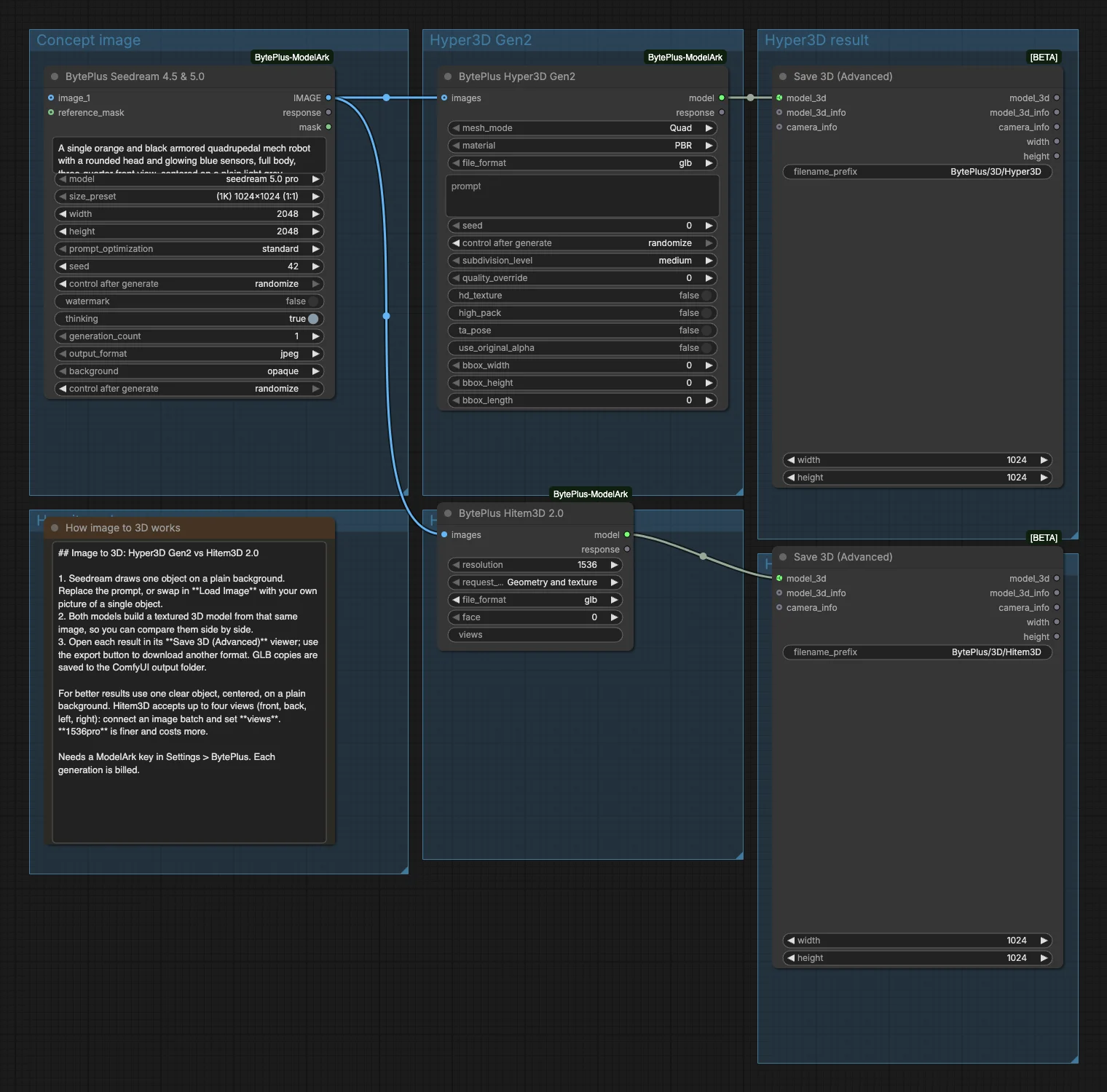
- Seedream draws one object, centered on a plain background, which suits 3D generation.
- Hyper3D Gen2 builds a textured model from the image.
- Hitem3D 2.0 builds a model from the same image, with geometry and texture.
- Two Save 3D (Advanced) nodes show each model in a viewer and save copies to
BytePlus/3D/Hyper3DandBytePlus/3D/Hitem3D.
Run it
Section titled “Run it”- Add your ModelArk API key in Settings → BytePlus if you have not yet (API keys).
- Open the template browser and choose Hyper3D and Hitem3D Image to 3D under BytePlus.
- Press Run. The image is made first, then both 3D tasks run in parallel.
- Orbit each model in its viewer, and use the export button to download another format.
Settings worth changing
Section titled “Settings worth changing”- Seedream prompt: describe one object on a plain background, fully in frame. Or replace Seedream with Load Image and your own picture.
- Hitem3D
resolution:1536prois the second resolution option. - Hitem3D
request_type: Geometry only skips the texture. - Several views: connect an image batch of up to four views to Hitem3D and set
views, for example1010for front and left. - Hyper3D
mesh_mode: Quad for editable topology, Raw for triangles.
Example result
Section titled “Example result”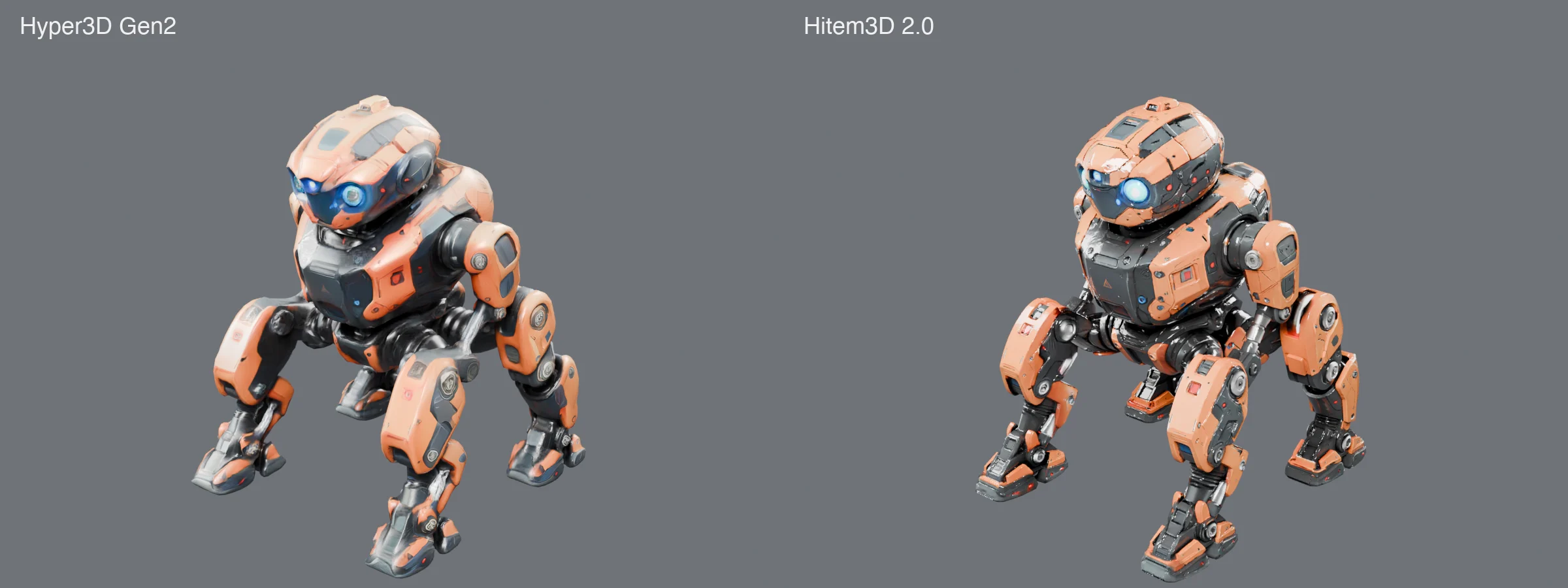
Both results are GLB files. After a run each opens in its own viewer, and copies sit in your output folder under BytePlus/3D/.
Time and cost
Section titled “Time and cost”The run bills one Seedream image and two 3D tasks. Hitem3D takes much longer than Hyper3D, so the run ends when it finishes. Running again with an unchanged workflow reuses ComfyUI’s cached results and does not bill.
Related
Section titled “Related”- Nodes: Hyper3D Gen2, Hitem3D 2.0
- Previous step: Hyper3D Text to 3D starts from a text prompt.