

Product Ad in One Click
- Template
- Product Ad in One Click, in the ComfyUI template browser under BytePlus
- Workflow file
- Product Ad in One Click.json
- BytePlus nodes
- BytePlus LLM, Seedream 4.5 & 5.0, Seedance 2.5 First-Last-Frame to Video, vCube Video Enhance
- Keys needed
- ModelArk API key, AI MediaKit API key
- Also uses
- Extract Text, MarkdownNote, Preview as Text, Save Video, Text (Multiline) (built into ComfyUI)
What it makes
Section titled “What it makes”A short 16:9 product ad in 1080p, made from nothing but a sentence. It is for makers who have a product idea but no photo yet. The idea: let a language model act as the creative director, write one image prompt and one motion prompt, and hand them to three specialists in turn: Seedream paints the hero shot, Seedance brings it to life and vCube upscales and cleans the final clip.
The workflow
Section titled “The workflow”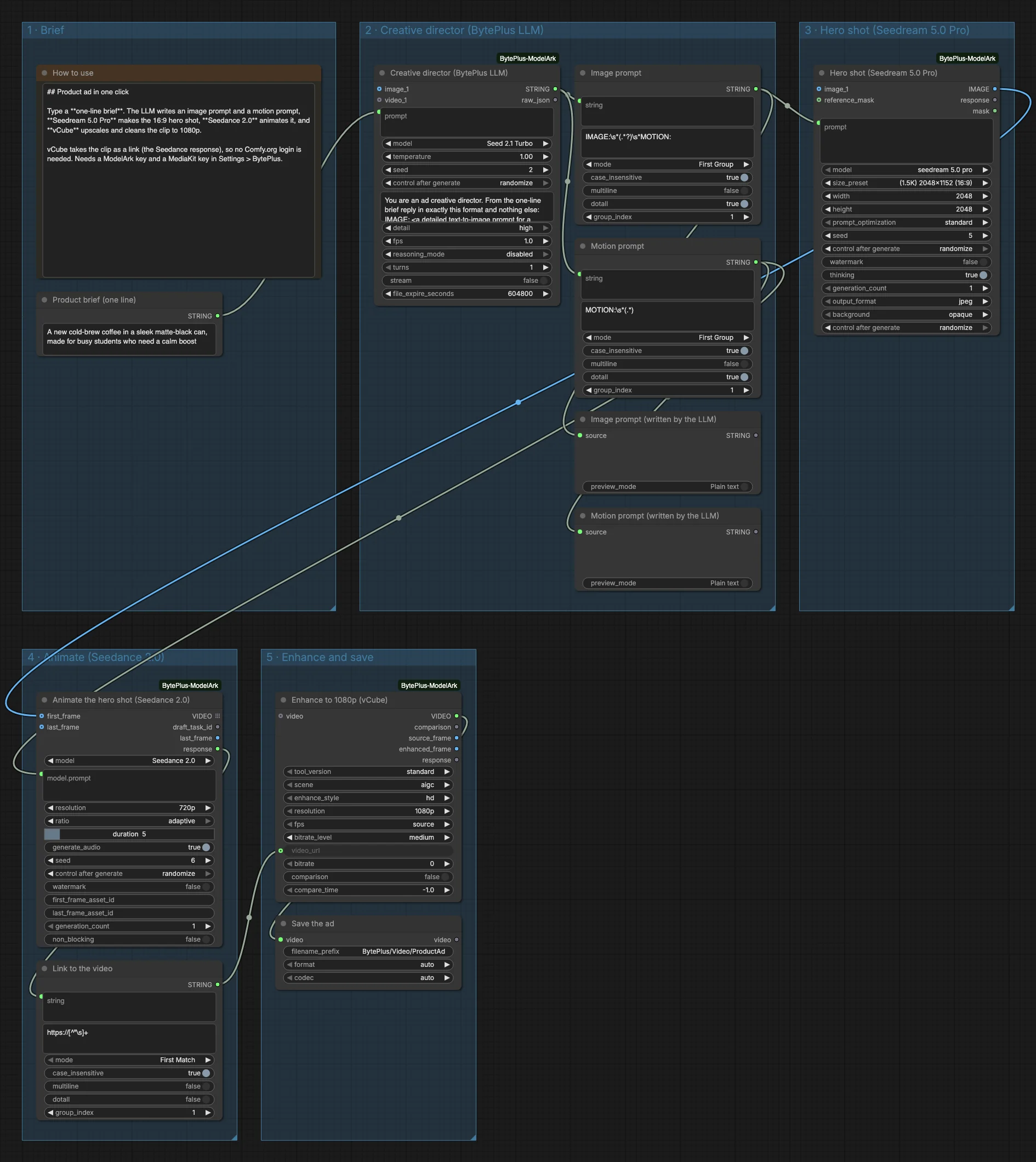
- A Product brief (one line) text node holds the idea. The template uses a new cold-brew coffee in a matte-black can for busy students.
- BytePlus LLM (Seed 2.1 Turbo, titled “Creative director”) answers in the format
IMAGE:andMOTION:. Two Extract Text nodes split the reply, and two Preview as Text nodes show both prompts. - Seedream 4.5 & 5.0 (Seedream 5.0 Pro, 16:9 at 2048x1152) paints the hero shot from the image prompt.
- Seedance 2.5 First-Last-Frame to Video with the model set to Seedance 2.0 animates the image as its first frame: 720p, 5 seconds, audio on.
- An Extract Text node pulls the video link out of the Seedance
response. - vCube Video Enhance takes that link as
video_urland upscales to 1080p. Save Video keeps the result inBytePlus/Video/ProductAd.
Run it
Section titled “Run it”- Add your ModelArk API key and your AI MediaKit API key in Settings → BytePlus if you have not yet (API keys). The template needs both.
- Open the template browser and choose Product Ad in One Click under BytePlus.
- Replace the text in Product brief (one line) with your own product and audience.
- Press Run. The two prompts appear first, then the ad is saved.
Settings worth changing
Section titled “Settings worth changing”- Product brief: mention the product, the container or look, and who it is for.
modelin the hero shot: switch to another Seedream model, for exampleseedream 5.0 flash, while you tune the brief.durationandgenerate_audioin Animate: the template makes 5 seconds with audio on.resolutionin vCube: 1080p here, withtool_versionstandard,sceneaigc andenhance_stylehd.- System prompt of the LLM: edit it to change the camera move or the look, for example a handheld style instead of a slow push-in.
Example result
Section titled “Example result”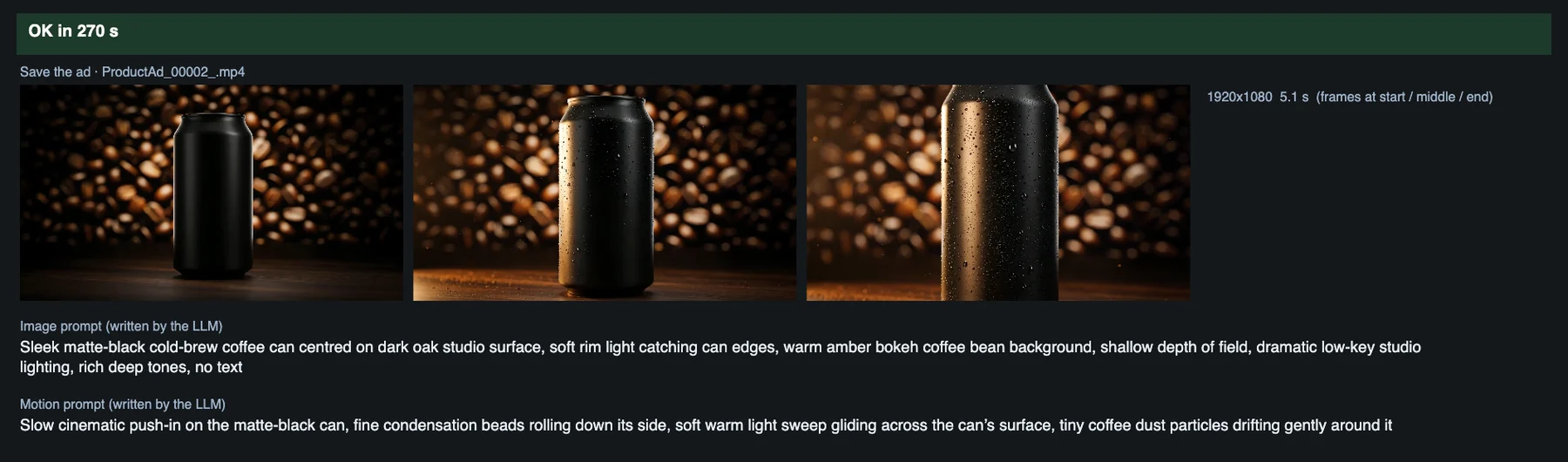
Time and cost
Section titled “Time and cost”The LLM, Seedream and Seedance nodes bill on your ModelArk account, and vCube bills on your AI MediaKit account. The seed controls are set to randomize, so every run makes new prompts, a new image and a new clip and bills again. Set a control to fixed and ComfyUI reuses the cached result of an unchanged node without billing. vCube reads the Seedance clip from its link, so no Comfy.org login is needed.
Related
Section titled “Related”- Nodes: BytePlus LLM, Seedream 4.5 & 5.0, Seedance 2.5 First-Last-Frame to Video, vCube Video Enhance
- Next step: Image to UGC Video starts from a real product photo and adds a voiceover.