

Image to Video - Seedance 2.5 and 2.0
- Template
- Image to Video - Seedance 2.5 and 2.0, in the ComfyUI template browser under BytePlus
- Workflow file
- Image to Video - Seedance 2.5 and 2.0.json
- BytePlus nodes
- Seedance 2.5 First-Last-Frame to Video ×2
- Keys needed
- ModelArk API key
- Also uses
- Load Image, MarkdownNote, Save Video (built into ComfyUI)
What it makes
Section titled “What it makes”Turn your image into a short video with either model. Both branches use the same image as first_frame, with separate prompts and saved results. Seedance 2.5 starts active; Seedance 2.0 starts bypassed so the first run generates only one video.
The workflow
Section titled “The workflow”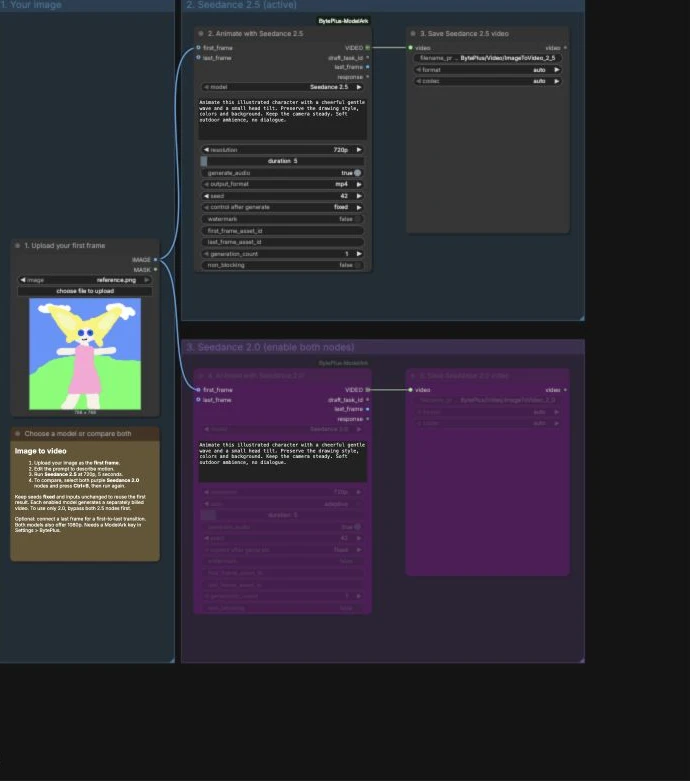
- Load Image supplies the first frame to both branches.
- First-Last-Frame to Video in the upper group runs Seedance 2.5 at 720p for five seconds, with audio.
- Save Video displays and saves the Seedance 2.5 result.
- The same First-Last-Frame node in the lower purple group runs Seedance 2.0 at 720p for five seconds, with
ratioset toadaptive. - A separate Save Video displays and saves the Seedance 2.0 result.
Run it
Section titled “Run it”- Add your ModelArk key in Settings → BytePlus (API keys).
- Open Image to Video - Seedance 2.5 and 2.0 and upload your image.
- Edit the motion prompt in the Seedance 2.5 node, then run.
- To compare models, copy your prompt to the Seedance 2.0 node. Select both purple nodes and press Ctrl+B to enable them, then run again.
- Keep the first branch’s inputs and fixed seed unchanged to reuse its cached result. To run only Seedance 2.0, bypass both Seedance 2.5 nodes first.
Settings worth changing
Section titled “Settings worth changing”- Prompt: describe subject motion, camera motion and sound. The shipped prompt animates an illustrated character waving with a small head tilt; replace it for your own image.
- Resolution: both branches start at 720p and also offer 1080p.
- Duration: both branches start at five seconds; each model exposes its supported range.
- Seed: both start at 42 with
fixed. Change it deliberately for another variation. - Last frame: optionally connect a second image for a first-to-last-frame transition.
- Audio: toggle generated sound on each branch.
Example result
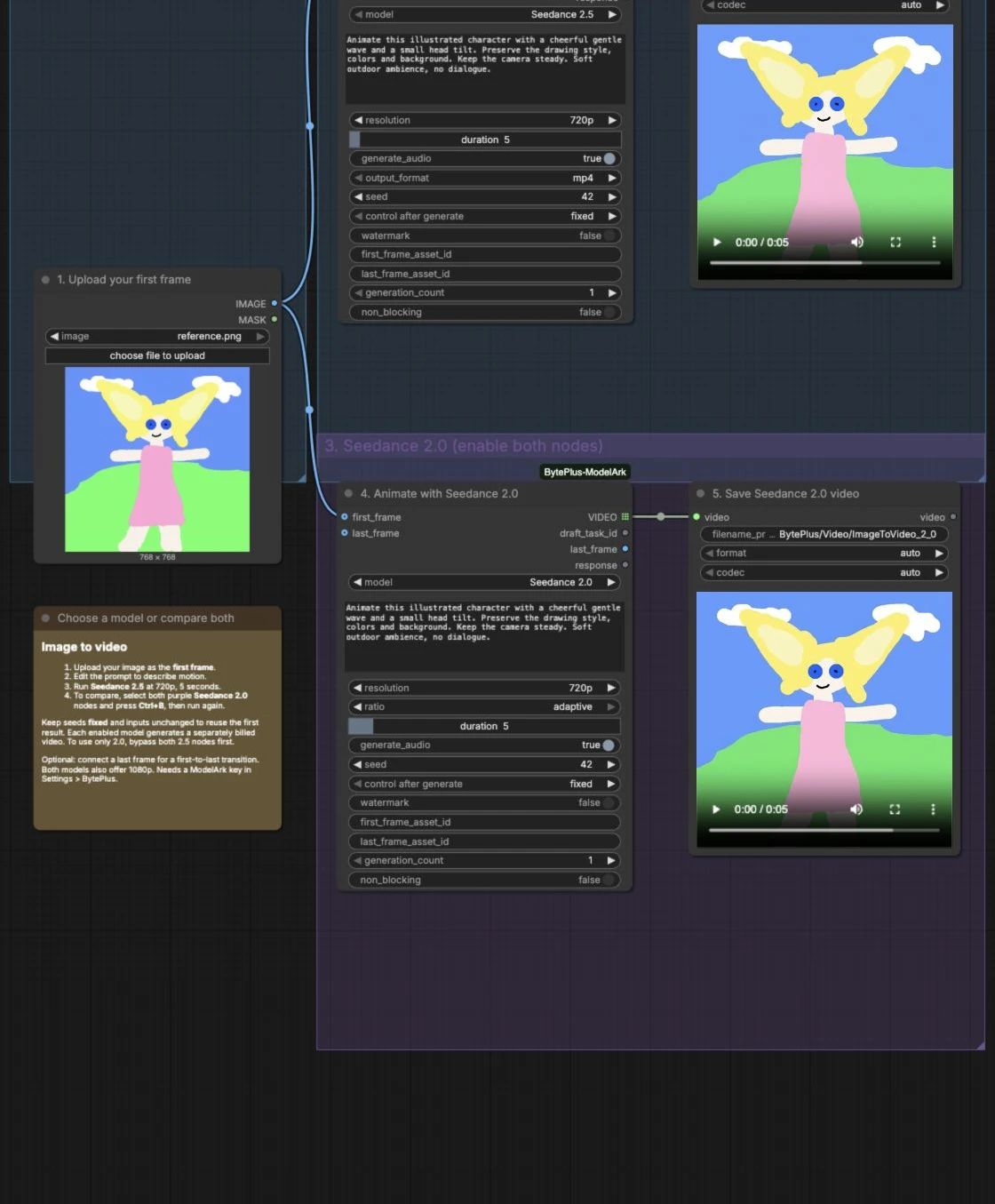
Section titled “Example result”This example uses the same illustrated character, motion prompt and fixed seed for both models. With the square image and 720p setting, both saved videos are 960 × 960, 24 fps and 5.056 seconds long, with audio. Seedance 2.5 shows a wave and a head tilt; Seedance 2.0 mainly tilts its head in the sampled frames. The models do not produce identical motion from the same seed.
Time and cost
Section titled “Time and cost”Each enabled model is a separate billed generation. The template starts with one branch active. Re-running unchanged inputs with fixed seeds reuses ComfyUI’s cached outputs. Changing the image, prompt or seed requests another generation.
Related
Section titled “Related”- Seedance 2.5 First-Last-Frame to Video
- Image to Draft to 1080p lets you review a reference-image draft before rendering the final.
- Seedance Video Extension continues an existing clip.