

Seed
- Template
- Seed, in the ComfyUI template browser under BytePlus
- Workflow file
- Seed.json
- BytePlus nodes
- BytePlus LLM
- Keys needed
- ModelArk API key
- Also uses
- Load Image, Preview as Text (built into ComfyUI)
What it makes
Section titled “What it makes”Text. The template sends an image (the ComfyUI logo) and a prompt to Seed 2.0 Pro, which describes the subject, the setting, the colors and the mood and suggests a short title. Change the prompt to ask anything else about the picture.
The workflow
Section titled “The workflow”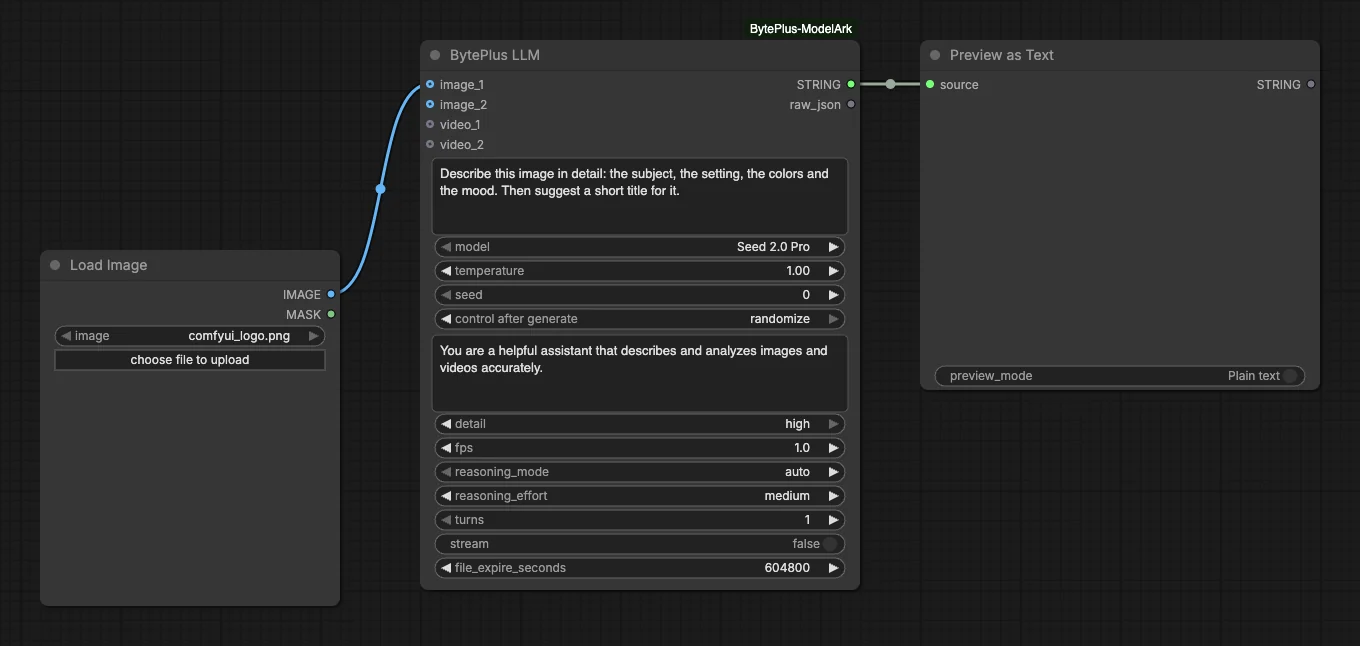
- Load Image supplies the picture.
- BytePlus LLM receives it as
image_1together with the prompt “Describe this image in detail: the subject, the setting, the colors and the mood. Then suggest a short title for it.” The model is Seed 2.0 Pro. - Preview as Text shows the
STRINGoutput. The node also has araw_jsonoutput that is not connected.
Run it
Section titled “Run it”- Add your ModelArk API key in Settings → BytePlus if you have not yet (API keys).
- Open the template browser and choose Seed under BytePlus.
- Press Run. The answer appears in Preview as Text.
Settings worth changing
Section titled “Settings worth changing”prompt: ask for what you need, for example alt text, a list of objects or a caption in a given tone.model: the list also has Seed 2.0 Lite and Mini, Seed 2.1 Turbo, DeepSeek V4.1 Flash and GLM 5.3 Flash. They take the same image input.system_prompt: an advanced input. The template sets a short assistant role; change it to set a style or a language for the answer.reasoning_modeandreasoning_effort: the template usesautoandmedium. Raise the effort for harder questions; it makes the model think longer.detail: the image detail level sent with each image; the template useshigh, andlowis the other choice.
Example result
Section titled “Example result”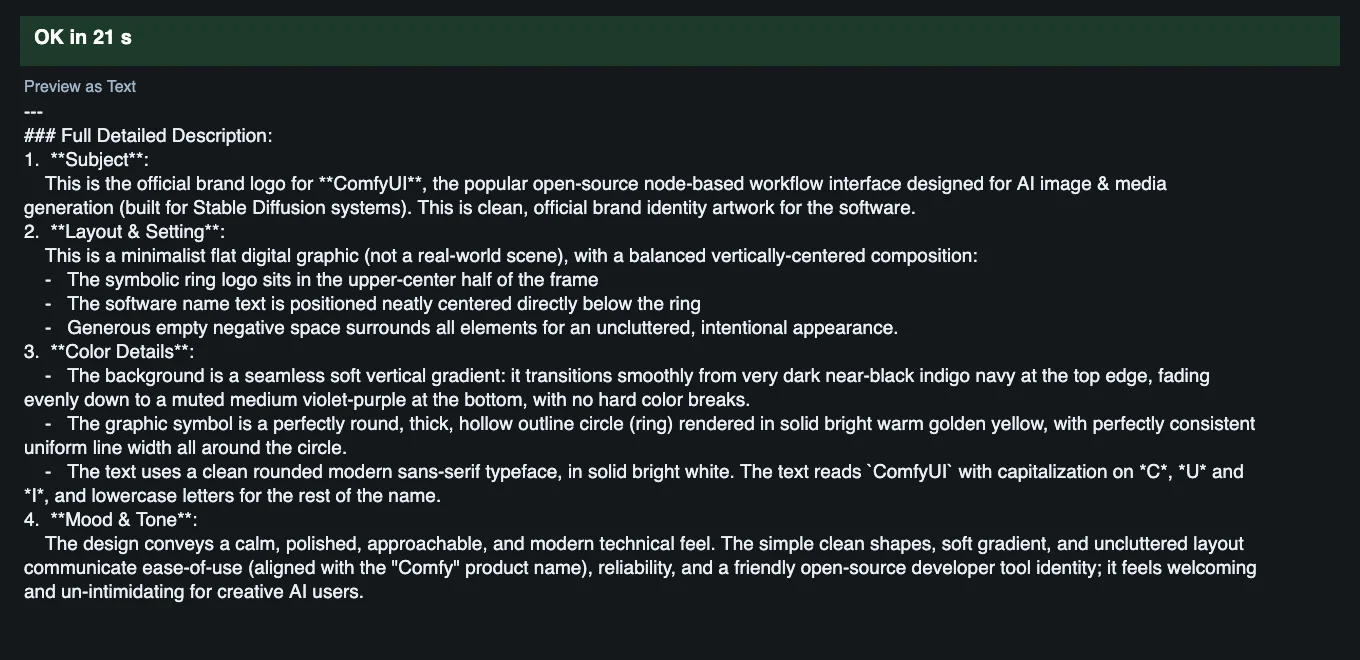
Time and cost
Section titled “Time and cost”ModelArk bills each request by the tokens it uses. The seed control is set to randomize, so every run asks again and bills again. Set it to fixed and ComfyUI reuses the cached result of an unchanged workflow without billing.
Related
Section titled “Related”- Node: BytePlus LLM
- Next step: Seed Prompt Writer lets the LLM write the prompt for an image.