

Seed Prompt Writer
- Template
- Seed Prompt Writer, in the ComfyUI template browser under BytePlus
- Workflow file
- Seed Prompt Writer.json
- BytePlus nodes
- BytePlus LLM, Seedream 4.5 & 5.0
- Keys needed
- ModelArk API key
- Also uses
- Preview as Text, Save Image (built into ComfyUI)
What it makes
Section titled “What it makes”One image, and the prompt that produced it. You type a few words, here “a cozy bookshop on a rainy evening”. The BytePlus LLM node expands them into one long prompt covering subject, setting, composition, lighting, color palette, lens and mood. That prompt is shown as text and also sent to Seedream, which draws the image.
The workflow
Section titled “The workflow”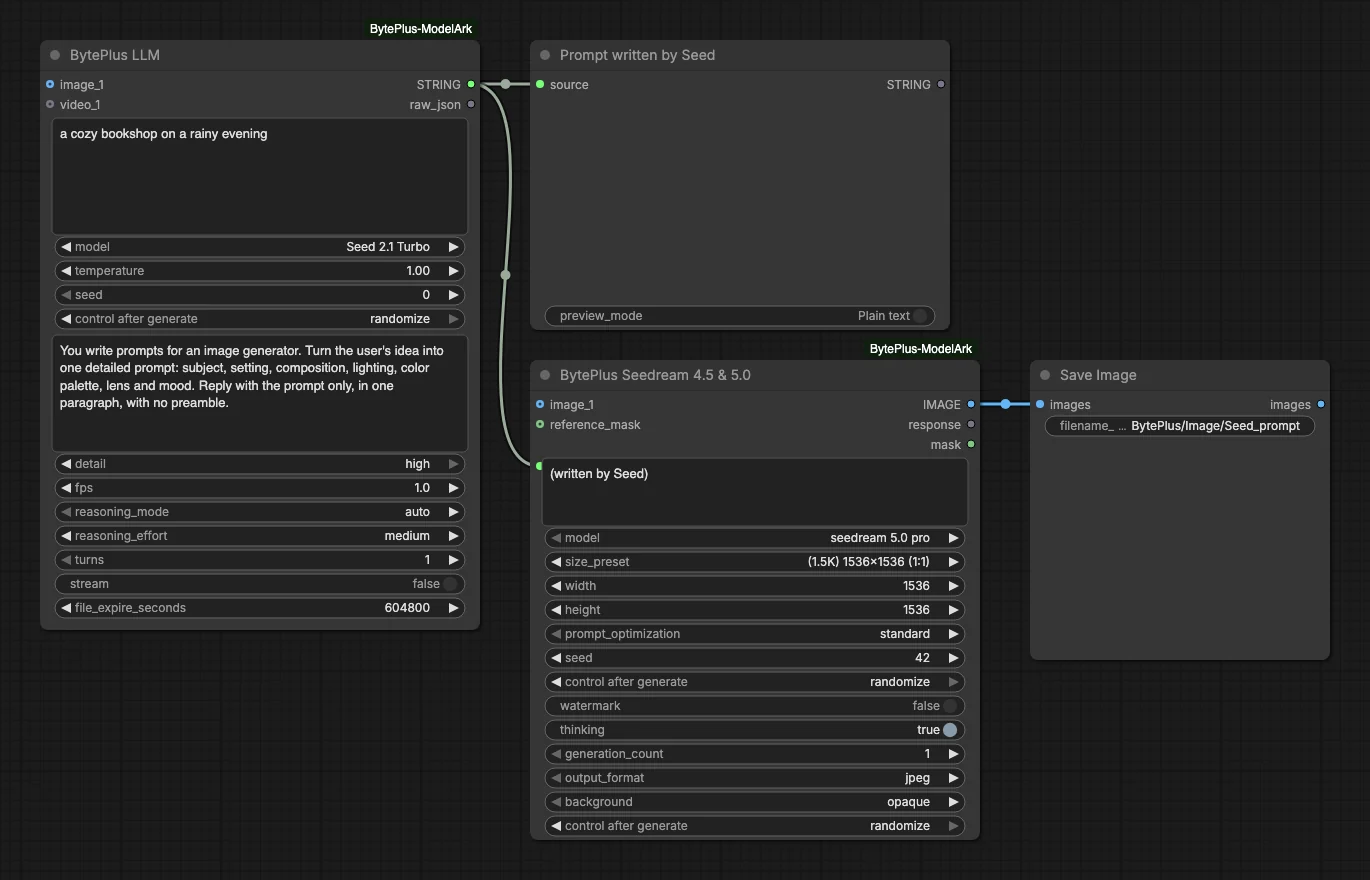
- BytePlus LLM runs
Seed 2.1 Turbo. Itspromptis the short idea. Itssystem_prompttells it to write prompts for an image generator and to reply with the prompt only, in one paragraph, with no preamble. - Prompt written by Seed (Preview as Text) shows what the LLM wrote.
- Seedream 4.5 & 5.0 receives the same text as its
promptand makes the picture withseedream 5.0 proat(1.5K) 1536x1536 (1:1). - Save Image keeps the result.
Run it
Section titled “Run it”- Add your ModelArk API key in Settings → BytePlus if you have not yet (API keys). One key covers both nodes.
- Open the template browser and choose Seed Prompt Writer under BytePlus.
- Change the idea in the LLM node’s
promptbox, or keep the bookshop. - Press Run. The written prompt appears first in the preview and the picture follows in Save Image.
Settings worth changing
Section titled “Settings worth changing”prompt(LLM): your short idea. A few words are enough.system_prompt: change the style of the writing, for example ask for a shorter prompt or a particular art style.size_preset(Seedream): pick another ratio or resolution.model(LLM): the node also lists the other Seed models, DeepSeek V4.1 Flash and GLM 5.3 Flash.reasoning_effort(LLM): the template usesmedium.maxthinks longest and costs the most, according to the tooltip.
Example result
Section titled “Example result”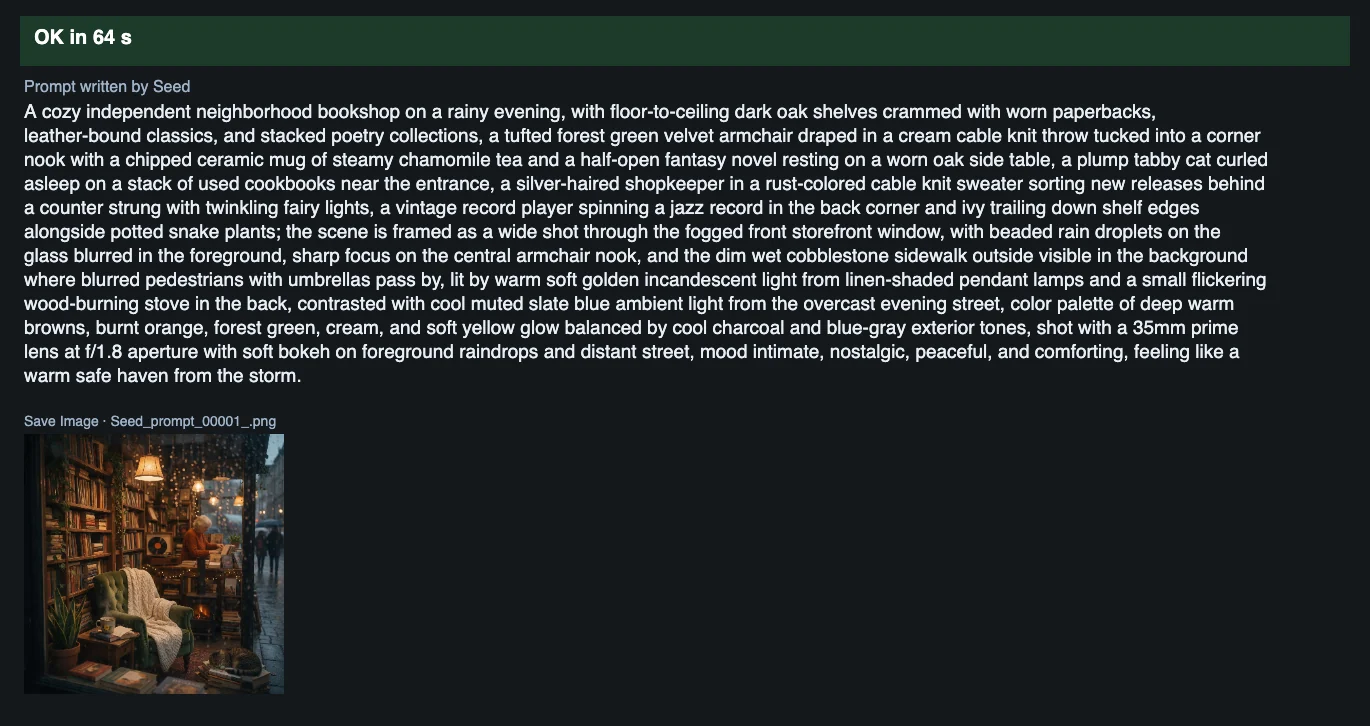
Time and cost
Section titled “Time and cost”Each node bills once per run: one LLM request and one Seedream image. The seed controls are set to randomize, so every run writes a new prompt, draws a new picture and bills again. Set a control to fixed and ComfyUI reuses the cached result of an unchanged node without billing.
Related
Section titled “Related”- Nodes: BytePlus LLM, Seedream 4.5 & 5.0
- Next step: Text to Image to Video turns a Seedream image into a clip.