

Seedance Video Extension
- Template
- Seedance Video Extension, in the ComfyUI template browser under BytePlus
- Workflow file
- Seedance Video Extension.json
- BytePlus nodes
- Seedance 2.5 Text to Video, Seedance 2.5 Reference to Video ×2
- Keys needed
- ModelArk API key
- Also uses
- Concatenate Video, MarkdownNote, Save Video (built into ComfyUI)
What it makes
Section titled “What it makes”One 15 second video with sound. The template starts with a 5 second text-to-video clip of a paper boat drifting down a rain-soaked city street, then asks Seedance 2.5 twice to continue that clip. Each extension picks up the motion, the scene and the sound where the previous clip stopped and contains only the new seconds. A Concatenate Video node joins all three parts into one file.
The workflow
Section titled “The workflow”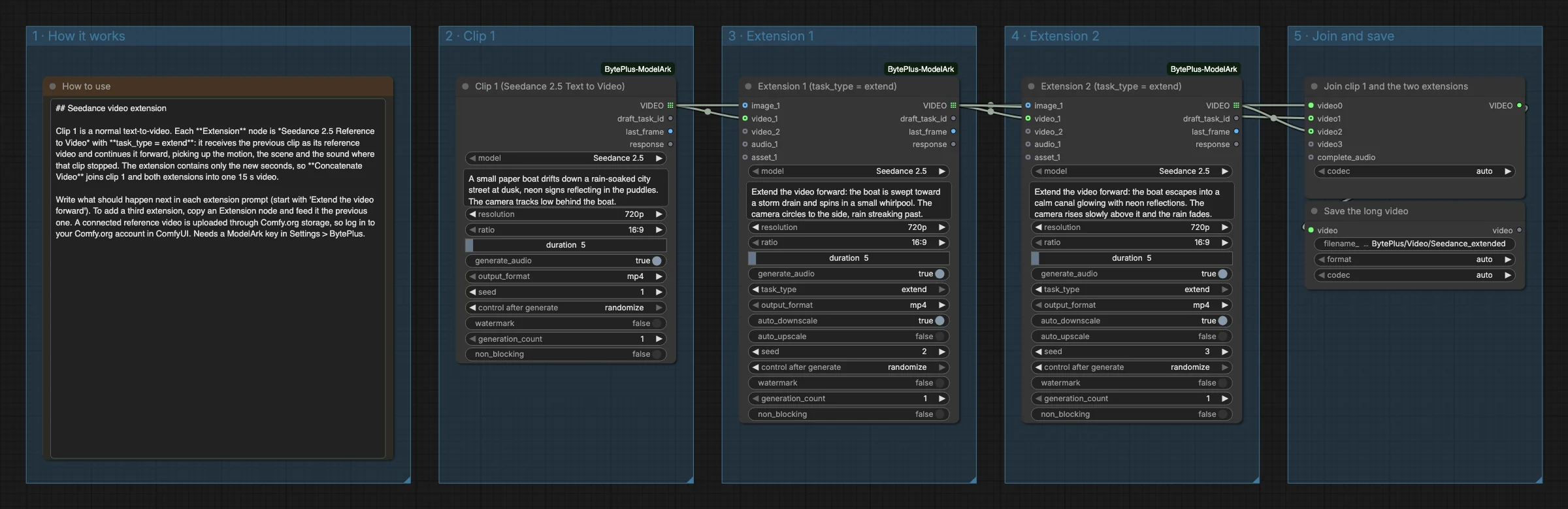
- How to use is a note that explains the idea (the first group).
- Seedance 2.5 Text to Video, titled Clip 1, creates the first 5 seconds at
720pand16:9from the paper boat prompt. - Seedance 2.5 Reference to Video, titled Extension 1, has
task_typeset toextend. It receives Clip 1 asvideo_1and a prompt that starts with “Extend the video forward”: the boat is swept toward a storm drain and spins in a small whirlpool. It creates 5 new seconds. - A second Seedance 2.5 Reference to Video node, titled Extension 2, receives Extension 1 as
video_1and continues it: the boat escapes into a calm canal and the camera rises above it. - Concatenate Video (titled “Join clip 1 and the two extensions”) joins Clip 1, Extension 1 and Extension 2 in that order, and Save Video (titled “Save the long video”) writes the long video.
Run it
Section titled “Run it”- Add your ModelArk API key in Settings → BytePlus if you have not yet (API keys).
- Log in to your Comfy.org account in ComfyUI. A connected reference video, here the previous clip, is uploaded to Comfy.org storage first.
- Open the template browser and choose Seedance Video Extension under BytePlus.
- Press Run. The three clips are made one after another, because each extension needs the clip before it. The joined video appears in Save Video.
Settings worth changing
Section titled “Settings worth changing”- Clip 1 prompt: describe the scene and the camera. Everything that follows builds on it.
- Extension prompts: start with “Extend the video forward” and say what should happen next. The extension keeps the source clip’s aspect ratio, so the
ratiowidget has no effect there. duration: each part is 5 seconds in the template. The node only changes the length of the new part; the final length is the sum of all three.- A third extension: copy an Extension node, feed it the previous extension, and add its output to Concatenate Video.
resolution: all three nodes are set to720p. Keep them the same so the joined video has one size.
Example result
Section titled “Example result”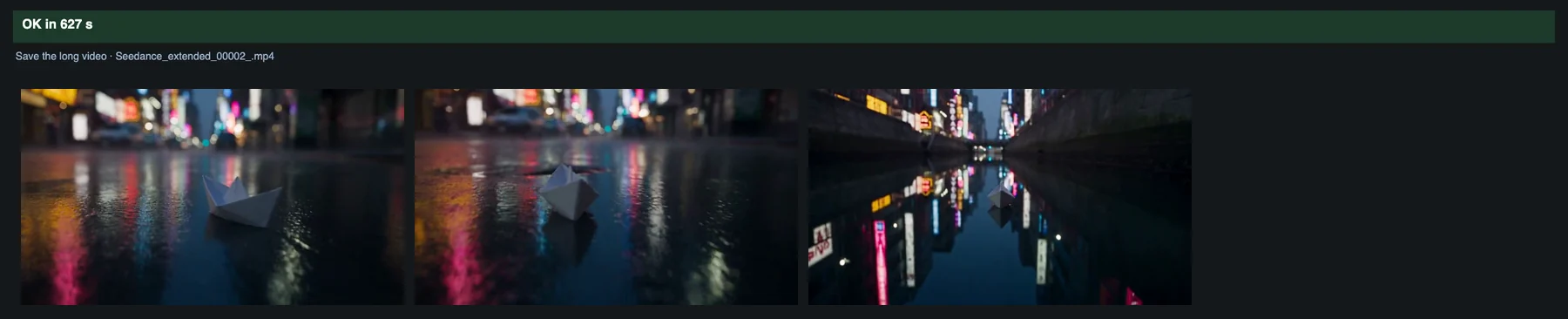
Time and cost
Section titled “Time and cost”A run creates three Seedance tasks, and ModelArk bills each of them. The seed controls are set to randomize, so every run makes three new clips and bills again. Set a control to fixed and ComfyUI reuses the cached result of an unchanged node without billing.
Related
Section titled “Related”- Nodes: Seedance 2.5 Text to Video, Seedance 2.5 Reference to Video
- Next step: Seedance Task Query shows how to find a Seedance task again by its ID.