

Location Sheet
- Template
- Location Sheet, in the ComfyUI template browser under BytePlus
- Workflow file
- Location Sheet.json
- BytePlus nodes
- Seedream 4.5 & 5.0
- Keys needed
- ModelArk API key
- Also uses
- Format Text, MarkdownNote, Preview as Text, Save Image, Text (Multiline) (built into ComfyUI)
What it makes
Section titled “What it makes”One wide image of a place with no people in it: an interior, an exterior or a set. It is for anyone who needs a location reference that later images or videos can match. You describe the place in six short boxes, and a fixed prompt adds the quality line and the exclusions. The template shows a below-deck captain’s cabin on an 18th-century sailing ship.
The workflow
Section titled “The workflow”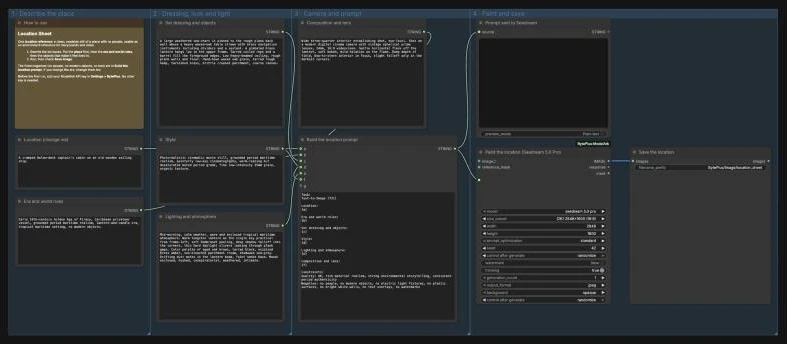
- Location (change me) says what the place is, indoors or outdoors, and its function and scale.
- Era and world rules fixes the period, region, technology and realism, so modern things do not creep in.
- Set dressing and objects lists the few objects and materials that make the place feel used.
- Style, Lighting and atmosphere and Composition and lens describe the image language, the light sources and how the place is photographed.
- Build the location prompt (Format Text, a ComfyUI core node) puts the six texts into one prompt and adds the fixed quality line and exclusions. Prompt sent to Seedream shows it.
- Seedream 4.5 & 5.0 runs
seedream 5.0 proat(2K) 2848x1600 (16:9), and Save Image writes the result toBytePlus/Image/location_sheet.
Run it
Section titled “Run it”- Add your ModelArk API key in Settings → BytePlus if you have not yet (API keys). This template needs no other key.
- Open the template browser and choose Location Sheet under BytePlus.
- Rewrite the six boxes. Start with the place, then the era and world rules.
- Press Run and check Save Image.
Settings worth changing
Section titled “Settings worth changing”- Location and Era and world rules: put the place first and the era second. The era box is the one that keeps the image from drifting into the present day.
- Set dressing and objects: name one to three hero pieces and a few signs of use, such as wear, rope or smoke, rather than a long list.
- Lighting and atmosphere: name the real light sources, the time of day and the haze or dust. The template uses one warm lantern as the key light.
- The fixed exclusions: the prompt in Build the location prompt ends with “no people, no modern objects” and similar. If you change the era, change this line too.
size_preset(Seedream): 16:9 at 2K by default. Pick another ratio if the place will be used in vertical video.
Example result
Section titled “Example result”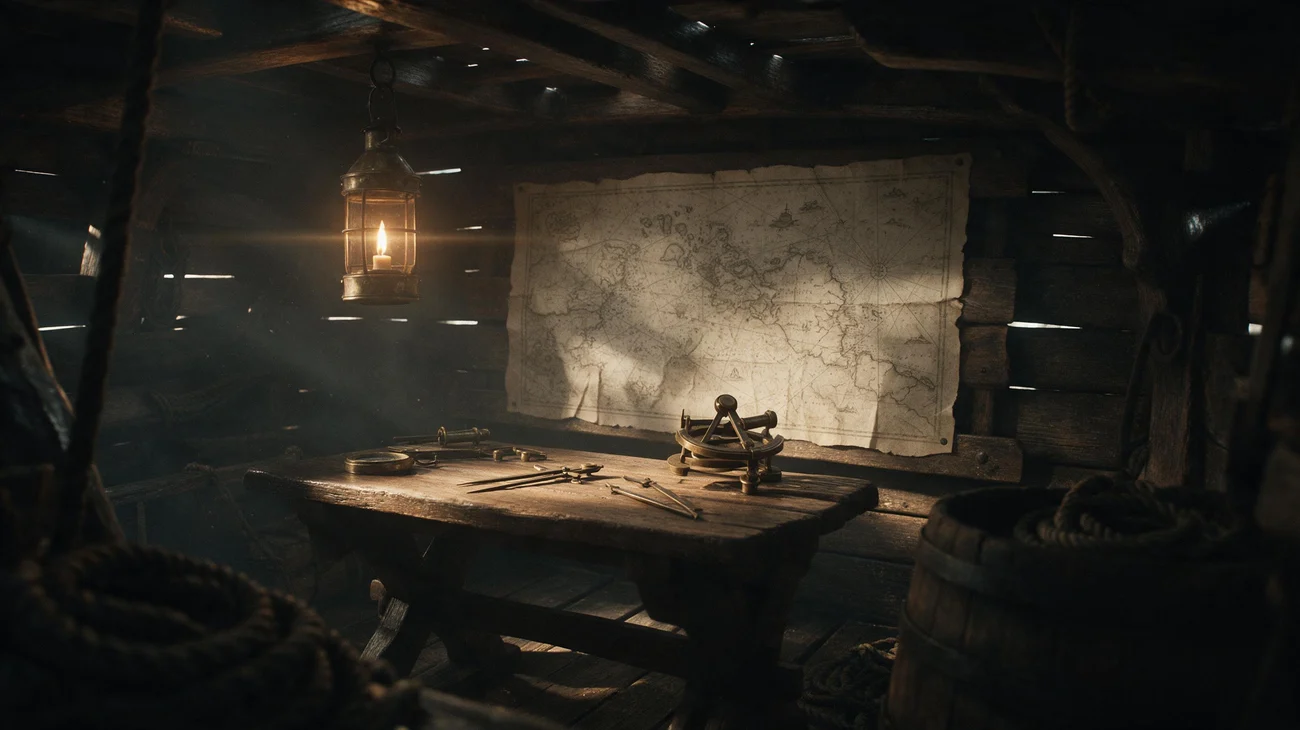
A wide still of the cabin with the lantern as the main light, the chart on the back wall, brass instruments on the table, and rope and a barrel in the foreground. No people appear in it. Check that nothing modern appears in an old setting. If it does, change the era text first, then the dressing.
Time and cost
Section titled “Time and cost”The template bills one Seedream image per run. The seed control is set to randomize, so every run paints a new view and bills again. Set it to fixed and ComfyUI reuses the cached result of an unchanged workflow without billing.
Related
Section titled “Related”- Node: Seedream 4.5 & 5.0
- Next step: Storyboard Grid lays out a scene in numbered panels. Prop Sheet makes a reference for an object in the place.