

Hyper3D Text to 3D
- Template
- Hyper3D Text to 3D, in the ComfyUI template browser under BytePlus
- Workflow file
- Hyper3D Text to 3D.json
- BytePlus nodes
- Hyper3D Gen2
- Keys needed
- ModelArk API key
- Also uses
- MarkdownNote, Save 3D (Advanced) (built into ComfyUI)
What it makes
Section titled “What it makes”A textured 3D model of an object you describe. The template asks for a complete armored four-legged mech robot, and shows the result in ComfyUI’s 3D viewer, where you can orbit it and download it.
The workflow
Section titled “The workflow”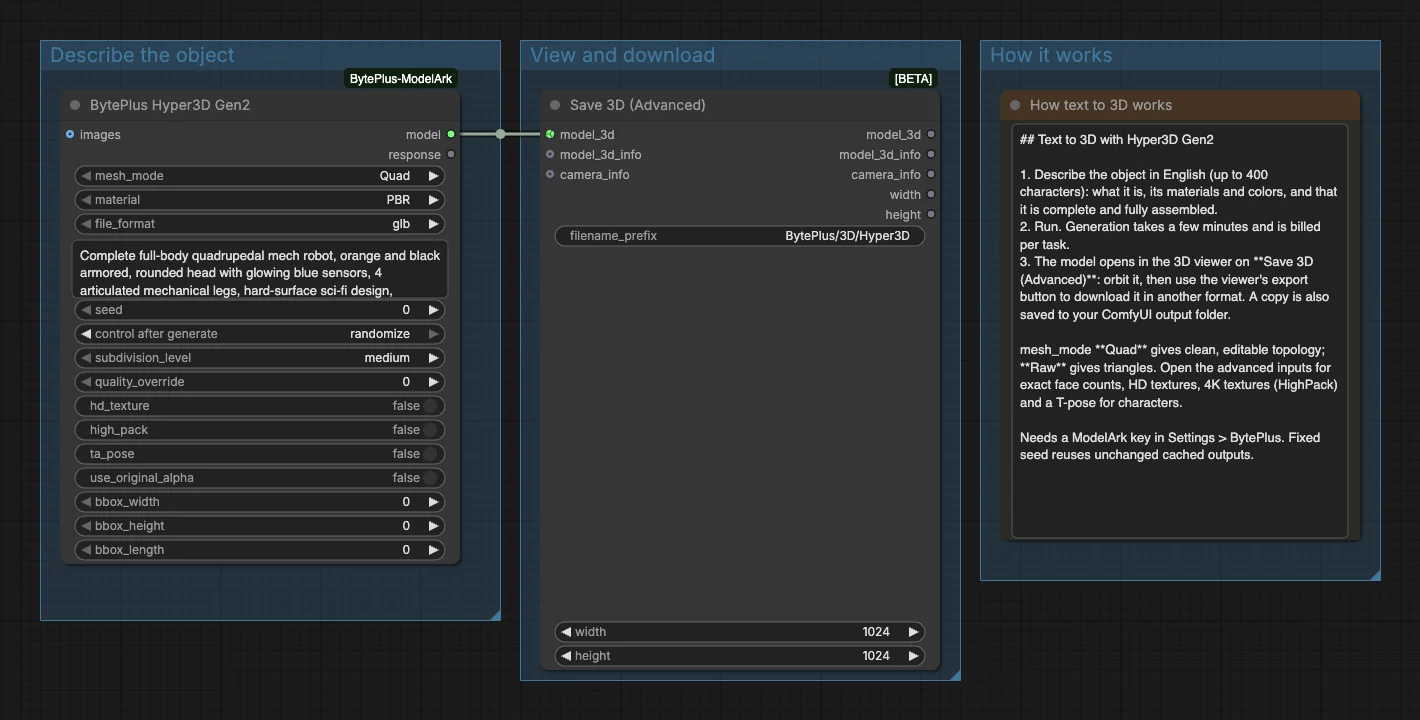
- Hyper3D Gen2 turns the prompt into a model with a Quad mesh, PBR material and GLB format.
- Save 3D (Advanced) opens the model in the viewer and saves a copy to
BytePlus/3D/Hyper3Din your ComfyUI output folder.
Run it
Section titled “Run it”- Add your ModelArk API key in Settings → BytePlus if you have not yet (API keys).
- Open the template browser and choose Hyper3D Text to 3D under BytePlus.
- Replace the prompt with your own object, in English and under 400 characters.
- Press Run. The model appears in Save 3D (Advanced): orbit it, and use the viewer’s export button to download it in another format.
Settings worth changing
Section titled “Settings worth changing”prompt: say what the object is, its colors and materials, and that it is complete and fully assembled.mesh_mode: Quad gives clean topology for editing. Raw gives triangles.material: PBR for physically based textures, Shaded for baked lighting, None for a white model.- Advanced inputs:
quality_overridesets an exact face count,hd_textureandhigh_packraise texture quality, andta_poseforces a T-pose for characters.
Example result
Section titled “Example result”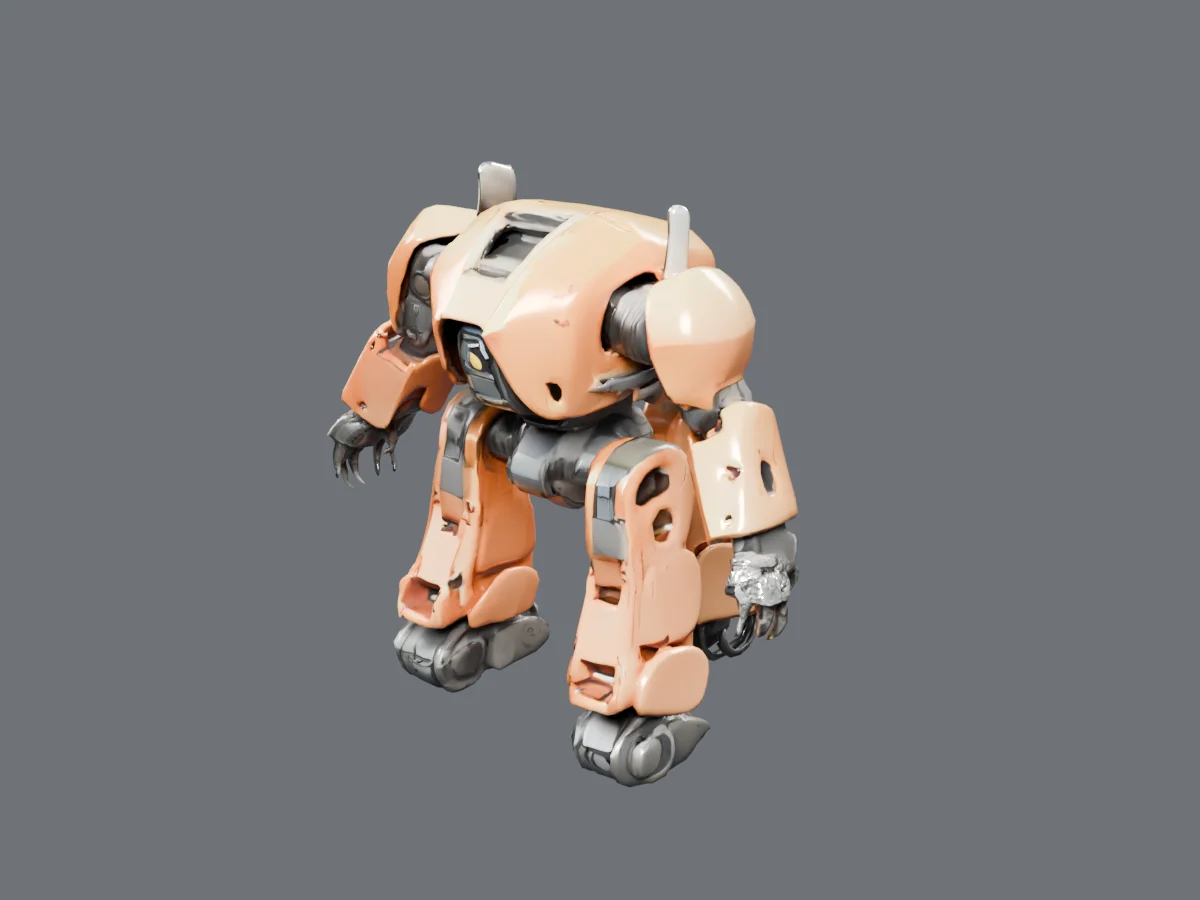
The result is a GLB file. After a run it opens in the viewer on Save 3D (Advanced), and a copy sits in your output folder under BytePlus/3D/.
Time and cost
Section titled “Time and cost”Each run creates one billed task. Running again with an unchanged workflow reuses ComfyUI’s cached result and does not bill; change the seed to make a new model.
Related
Section titled “Related”- Node: Hyper3D Gen2
- Next step: Hyper3D and Hitem3D Image to 3D builds 3D models from a picture and compares two models.